Memory and personalization
Set how Corint writes to you, how strictly it follows your rules, and review the facts it has kept.
By your tenth conversation you will have typed the same preferences a few times: keep it short, use our currency, write it the way my team writes. Personalization is where you say those things once.
Open Corint in the left navigation, then Personalization in the Corint sidebar. The page lets you "manage how Corint interacts with you and what it remembers," and it has two halves: settings you control, and a Memory list you can review. A Jump to Memory button at the top skips straight to the second half.
About you
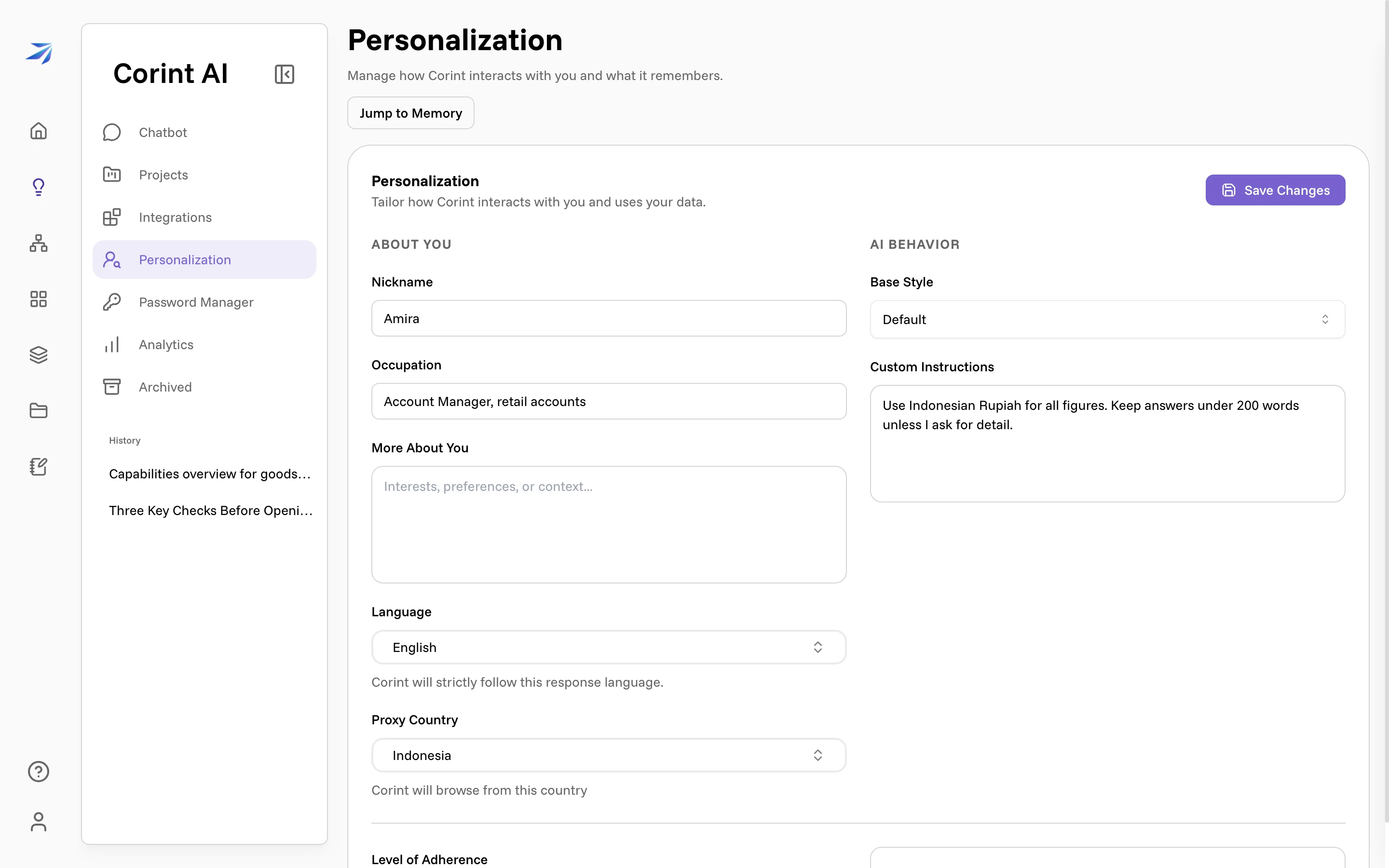
The left column is context about you:
- Nickname: "How should Corint call you?"
- Occupation: "Your professional role." A distributor's account manager and a controller want different answers to the same question, and this is the cheapest way to say which one you are.
- More About You: "Interests, preferences, or context…"
- Language: the language Corint answers in. Until you save it yourself the field notes that it is "a default or detected language"; once saved, the note changes to "Corint will strictly follow this response language."
- Proxy Country: the country Corint browses from, which decides what a website shows it. It starts detected from your location.
Nothing here saves as you type. Use Save Changes at the top right of the card.
AI behavior
The right column controls how answers read.
Base Style offers six: Default, Professional, Friendly, Academic, Efficient, Cynical.
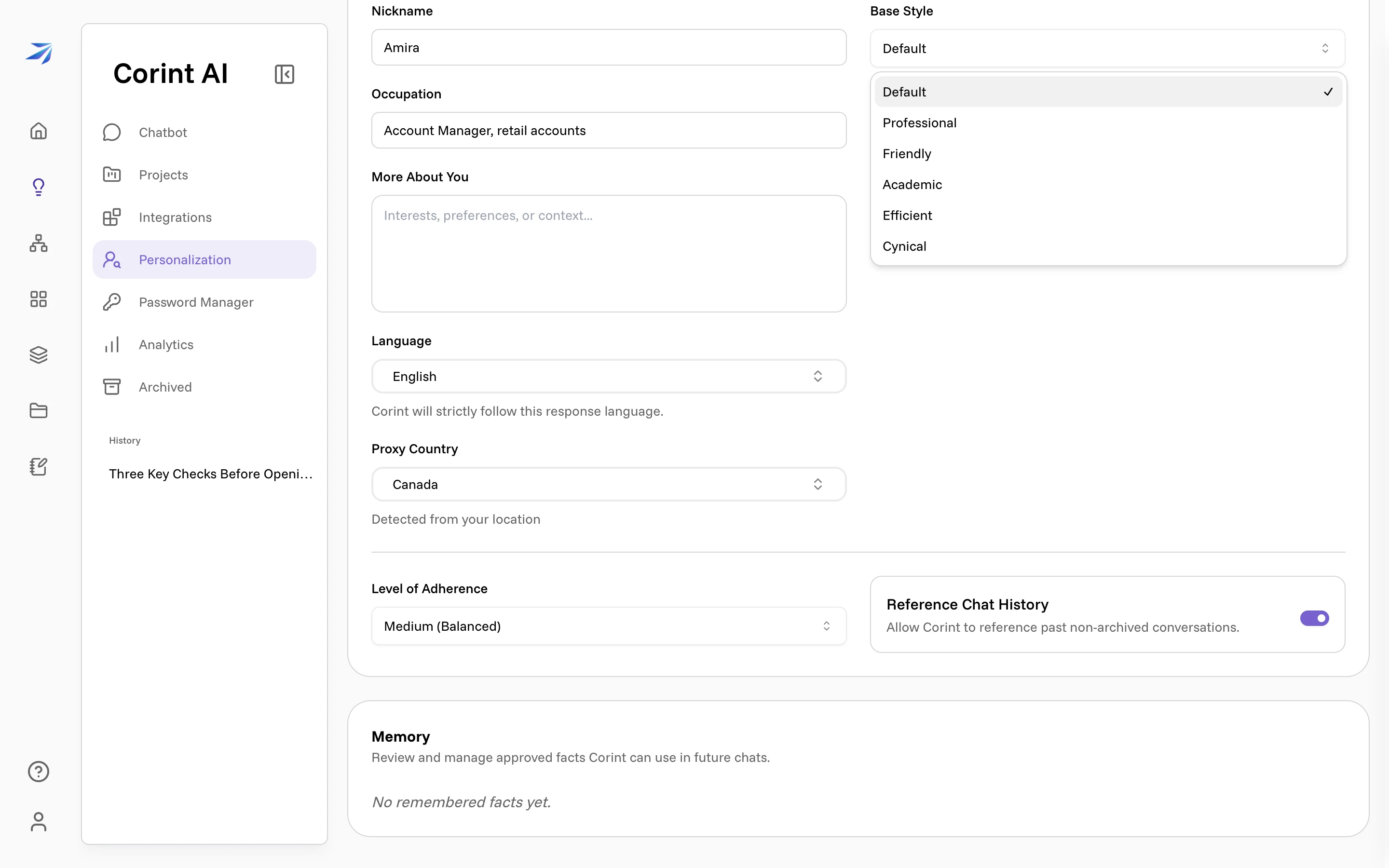
Custom Instructions is your own rules, in your own words — the placeholder suggests the register: "Always use markdown, never use emojis…" Amira's reads "Use Indonesian Rupiah for all figures. Keep answers under 200 words unless I ask for detail."
Level of Adherence decides how literally those rules are taken:
| Setting | Label in the app |
|---|---|
| Low | Low (More Creative) |
| Medium | Medium (Balanced) |
| High | High (Strict Follower) |
Medium is the default. Move to High when a rule is a rule: a house style, a currency, a length limit you actually enforce. Move to Low when you would rather Corint use its judgement than follow your wording off a cliff.
Reference Chat History is a switch, on by default: "Allow Corint to reference past non-archived conversations." Turn it off and each conversation starts cold. Note the wording: archived chats are already excluded, which is one more reason to archive a conversation you're finished with.
These settings follow you everywhere in Corint. A project can add its own instructions for the chats inside it — see Projects.
Memory
The Memory section at the bottom of the page lists what Corint has kept: "Review and manage approved facts Corint can use in future chats." Until something has been kept, it reads "No remembered facts yet."
Each remembered fact is shown as text with a delete button beside it: if a fact is wrong or you'd rather it weren't stored, remove it here and it stops being used.
Memory has two deliberate limits:
- Incognito chats. Their banner says it plainly: "Memories & personalization are not enabled for this conversation." See Incognito and history.
- Inside a project, the Memory tab shows Relevant Memory, the facts that apply to that project's work.