What is the Desktop?
The sandbox where Corint builds things — and the panel that lets you watch it work.
When Corint needs to produce something rather than describe it, the work happens in a sandbox: a private computer attached to your conversation. You never set it up. It appears when a task needs it, keeps your files between commands, and nobody else's work can touch it.
The sandbox is where the making happens:
- Documents. Ask for a formatted report, a letterhead template, a contract draft, a slide-ready summary — the sandbox writes it, formats it, and hands back the file.
- Spreadsheets and data work. Cleaning a messy export, merging two price lists, charting a quarter — the sandbox opens the actual files and does the work.
- Code. Python, JavaScript, Go, Rust — scripts, analysis, small tools, whatever the task needs. If you're technical you can work in the same environment yourself; if you're not, you never see a line of it.
- Websites and demos. A landing page mock-up, a working prototype, an internal tool — the sandbox can build it and show it to you running.
- Conversions and cleanup. Files in, different files out: office documents to PDF, images resized, scans made searchable, archives unpacked.
Connected to your Vault
The sandbox is wired to your Vault. Corint can pull in the files your organization already keeps (the price list, the contract, the export from your ERP) and save what it produces back where your team will actually find it.
The Desktop: your window into it
All of that runs behind the scenes. The Desktop is how you watch. In any chat, the Open Desktop button sits in the top-right corner, next to the tool permission mode and Incognito.
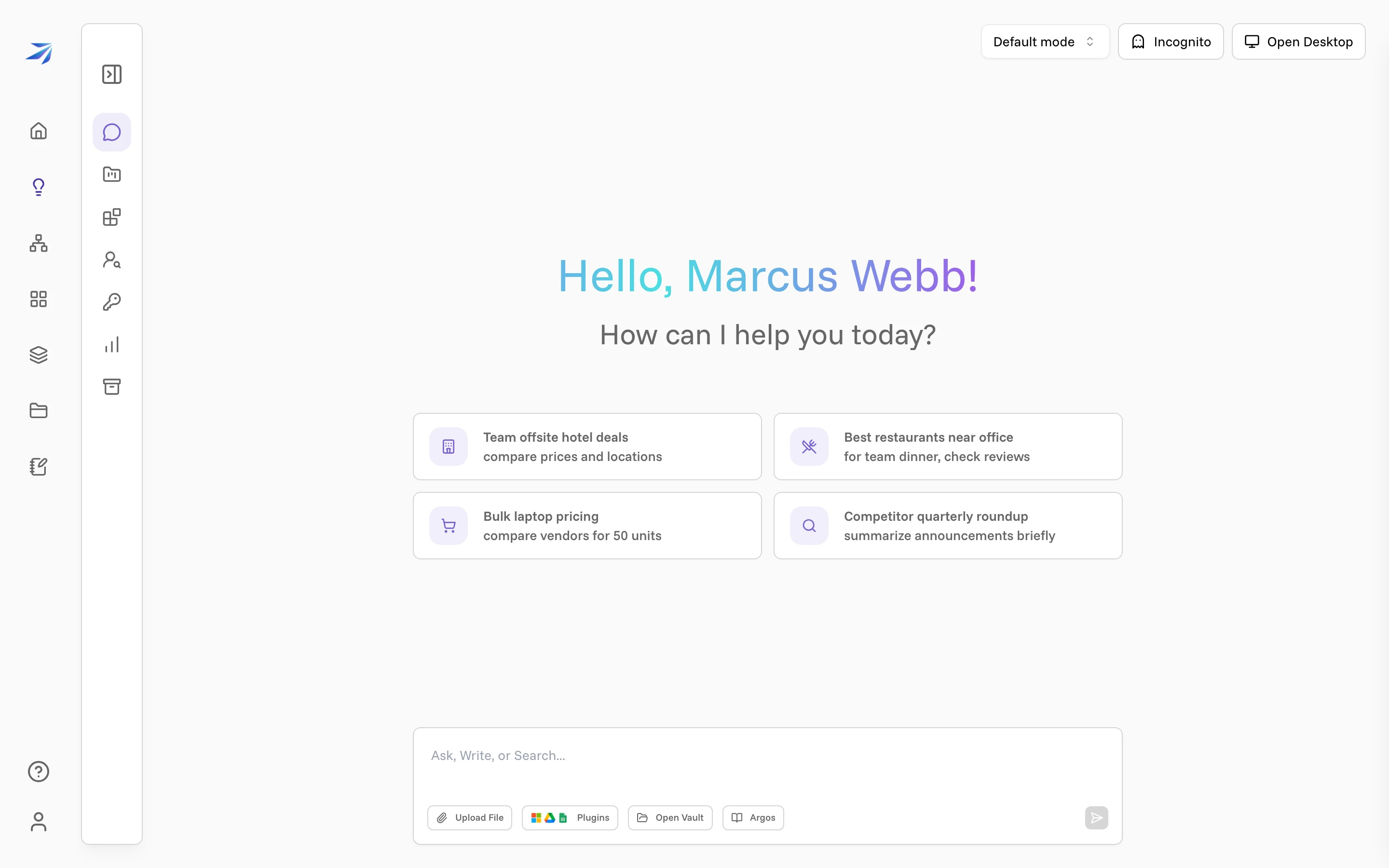
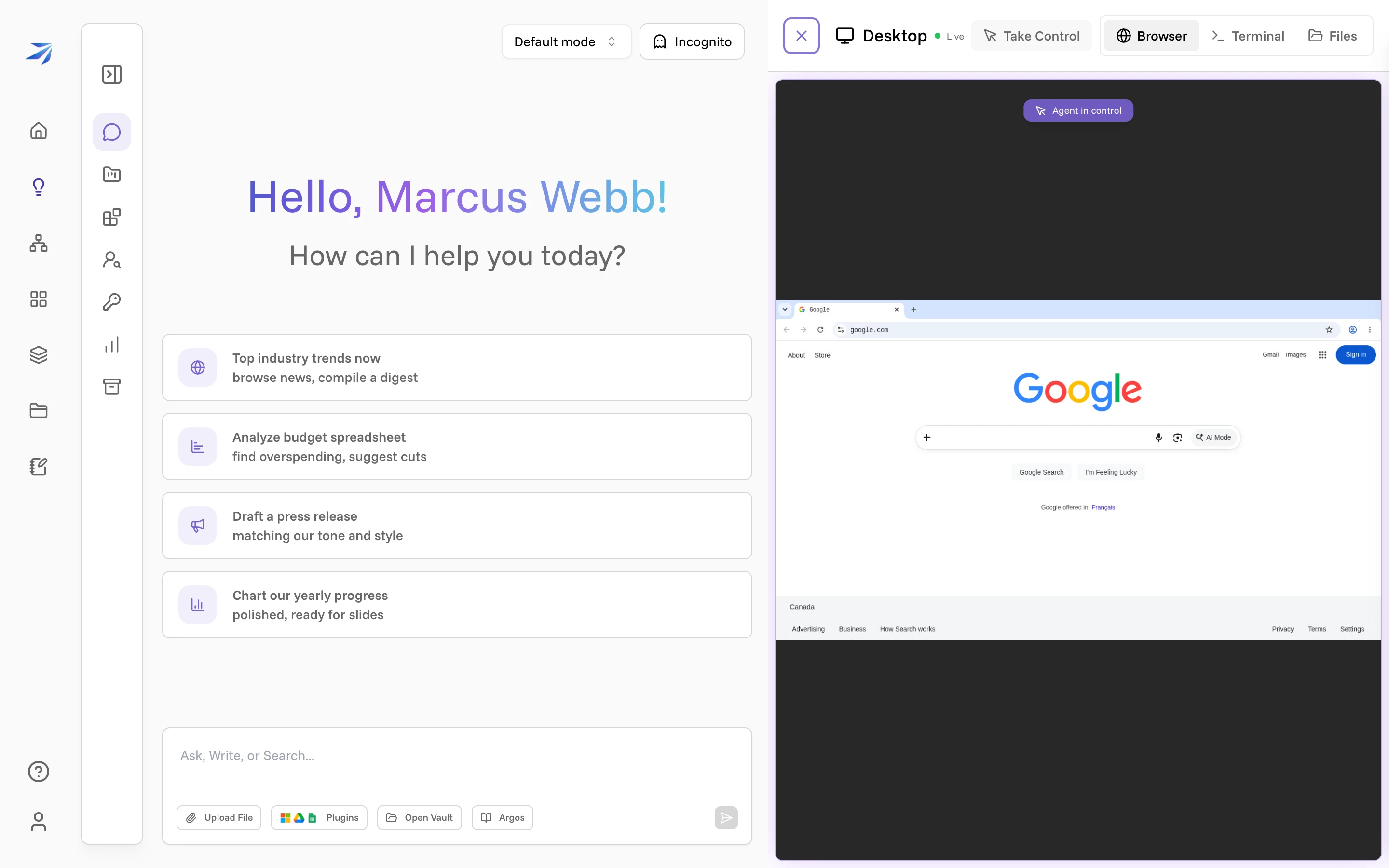
Click it and a panel slides in. A green Live dot means the machine is up. The toolbar switches between three views:
- Browser — a real Chrome session, for the tasks that involve the web: checking a site, filling a form, comparing prices. You watch every click.
- Terminal — a command line on the same machine. Anything Corint runs, you can run yourself.
- Files — everything the agent has created or downloaded in your conversation, as a browsable file system.
Beside them sits Take Control, which pauses the agent and hands you the keyboard for the steps that belong to you: a login, an approval, a choice you'd rather make yourself. An Agent in control badge sits over the terminal and the browser while Corint is driving; the button is hidden on the Files tab, where there is nothing to take control of.
When to open it
You can use Futurity for a long time without opening this panel — the sandbox does its job whether or not you're watching. The Desktop earns its place when you want to see: what the agent is actually doing with a task you care about, the files taking shape mid-conversation, or a step you'd rather do by hand instead of relaying through chat.
The sandbox is private to you: nobody else's work runs on it, and it cleans up after itself when idle. Your conversations share the one machine, each with its own working directory, so what you leave in your home directory is still there in the next chat. Your files in the Vault are never affected by any of that. If you're the technical type, Desktop for power users goes deeper: the terminal, the toolchain, and working alongside the agent in the same environment.