Desktop for power users
The sandbox is a real Linux machine — a persistent home directory, a full toolchain, your Vault mounted as a folder, and a terminal you share with the agent.
If you're the kind of person who reaches for a terminal, the sandbox behind the Desktop is a full Ubuntu machine with a real toolchain, a home directory that survives between conversations, and your Vault mounted as a folder. Corint works in it, and so can you — at the same time, on the same files.
What's installed
The image pins the runtimes it ships:
- Python 3.14
- Node.js 24 and Bun
- Go 1.24.13
- Rust, the stable toolchain
- DuckDB 1.5.4, the same release Atlas itself uses
The machine underneath is 64-bit Ubuntu 26.04. Beyond the runtimes: git,
jq, curl, ripgrep, pandoc, ffmpeg, pdftotext, typst, LibreOffice
(which is what converts office documents), and atlas, the read-only command
line over your connected data. Python packages
install through uv — pip3 is wired to it.
Treat that list as the machine you'll find today rather than a contract: the image moves forward.
The home directory persists
Each conversation gets its own working directory, but the home around it is yours and stays put:
$ ls ~
atlas
go
vault
workspace
$ ls ~/atlas
exports
scripts
$ ls ~/workspace/chats | head -3
03b76221-804f-4c09-8ee5-ec6b941b6ca0
07514dc7-bc2f-4483-8c45-51b183135d99
09d971ee-110b-468e-88b3-aafc0a64a9fc
~/workspace/chats/<conversation id> is where a chat's working files land, so
two conversations never scribble on each other. Everything else — a script you
wrote last week, a cloned repository, a virtualenv — is still there when you
come back. ~/atlas/exports is scratch space for Atlas exports, and it clears
between sessions.
Your Vault, mounted
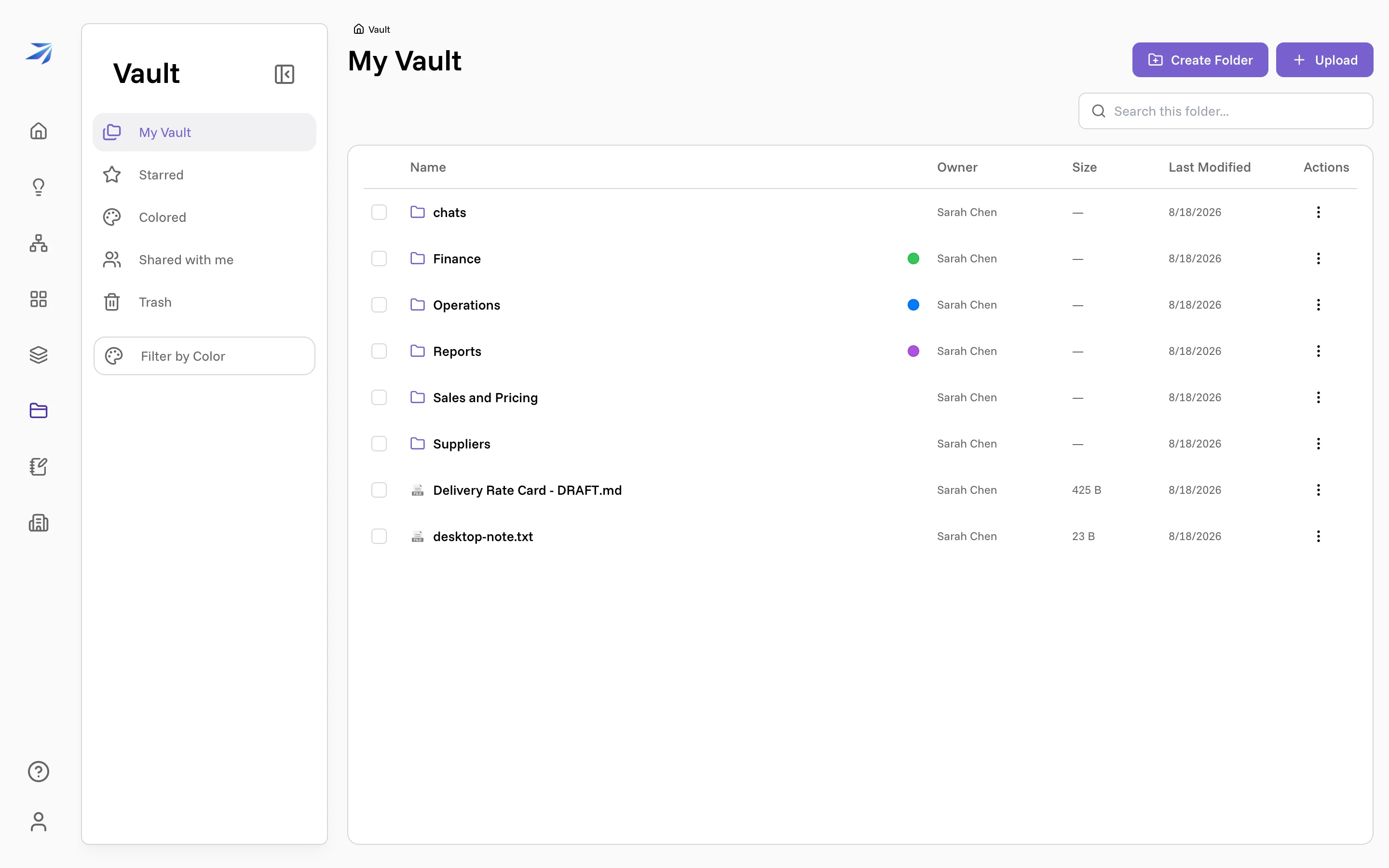
~/vault is your Vault itself, mounted as a
folder: the same tree you see in the web app, live in both directions.
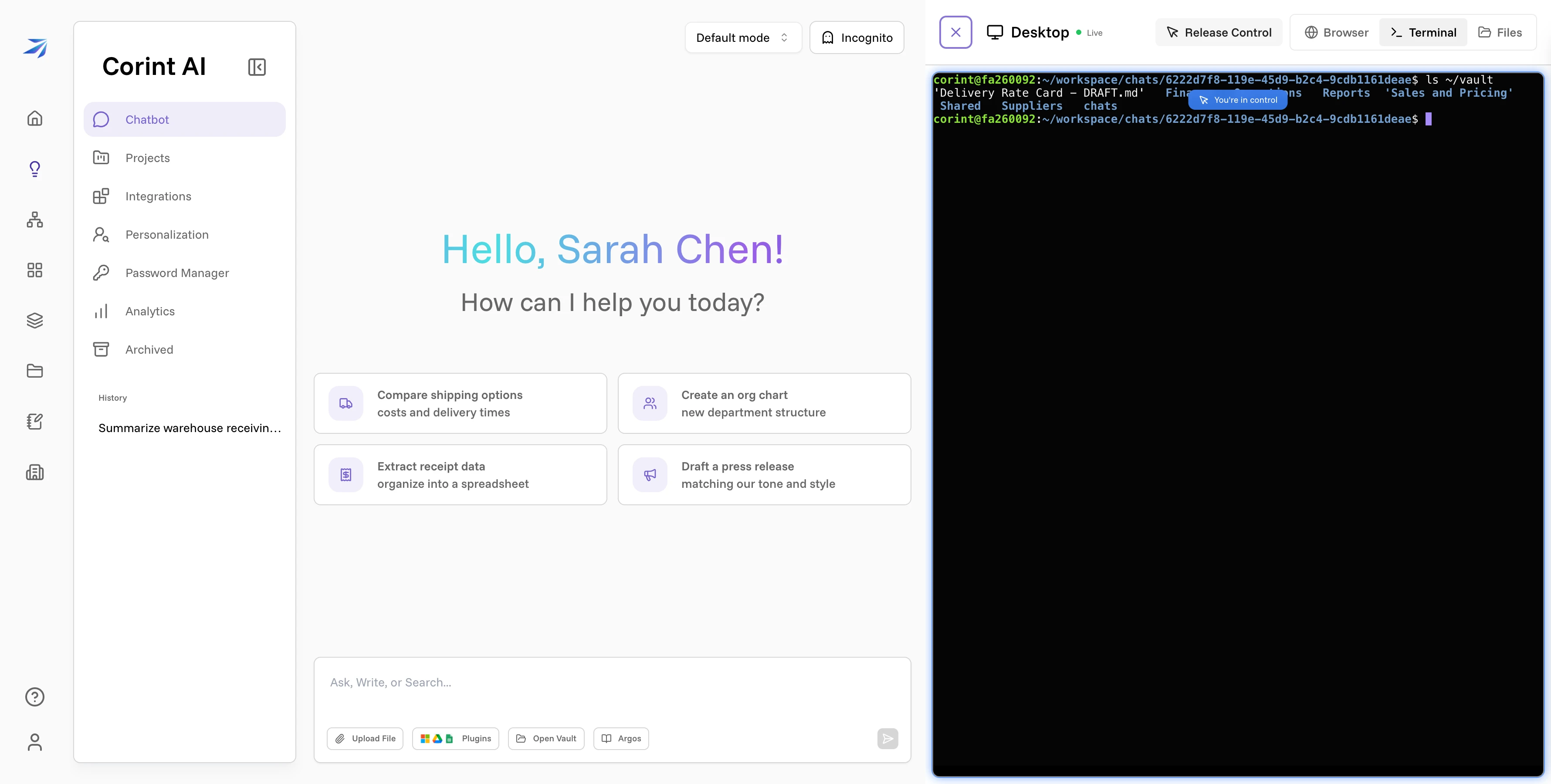
Write a file there and it's in the Vault, with no upload step in between. The
desktop-note.txt below arrived from a one-line echo in that terminal:
That makes the sandbox a normal place to work. Read a spreadsheet straight out
of ~/vault/Finance, run a script over it, write the result back where your
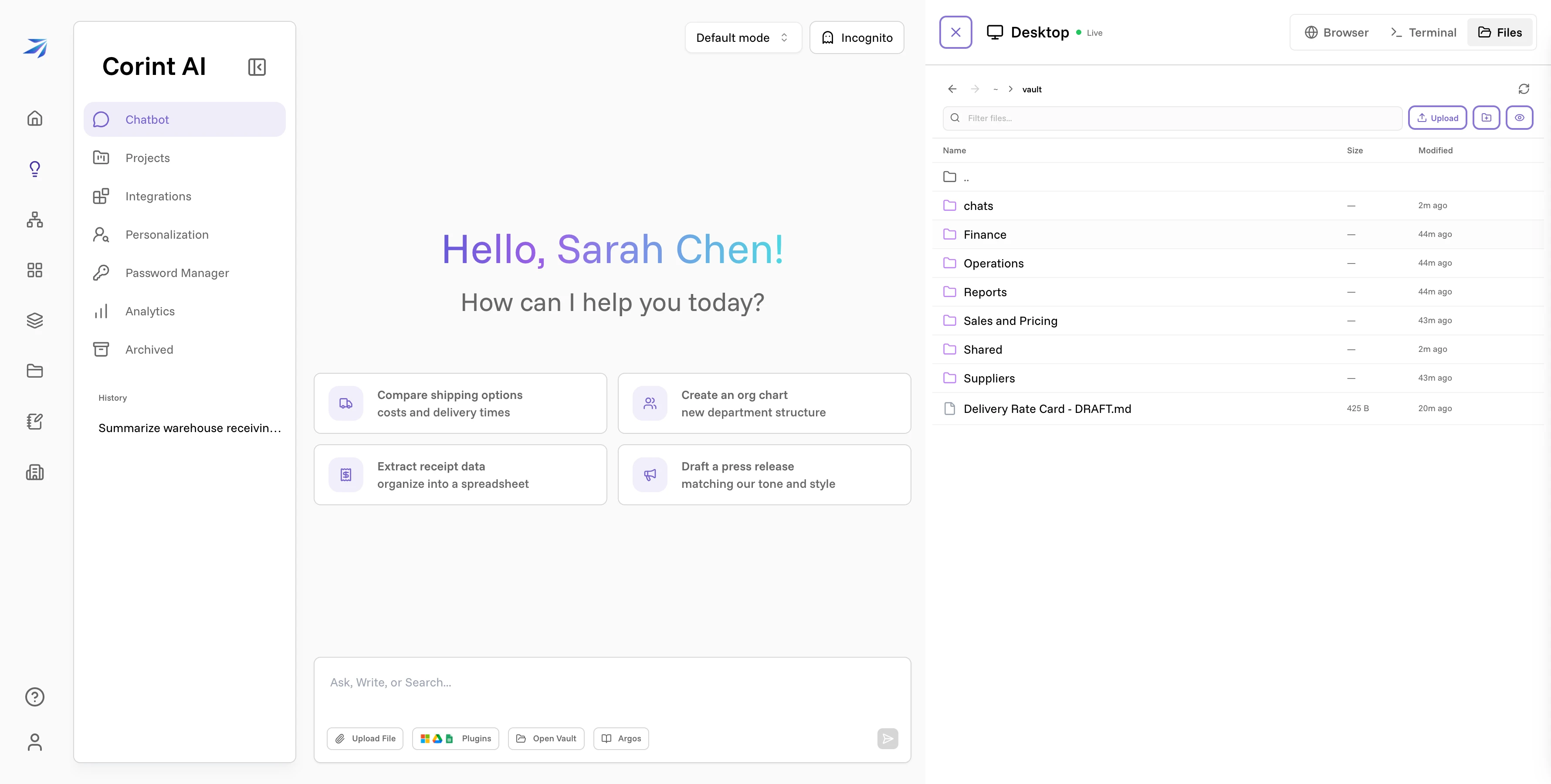
team already looks for things. The Files tab browses the same paths if you'd
rather point and click.
Working alongside the agent
You and Corint share one machine. A script you leave in ~/ is a script it can
run; a file it produces mid-conversation is a file you can open a second later
in the terminal. The division that works well: let the agent do the fetching,
the boilerplate, and the long grind, and take the keyboard for the parts you'd
rather judge yourself.
Two things worth knowing about the shared machine.
The agent's tool mode is set per chat. The permission selector in the chat header — Read, Write, Bypass — decides what Corint may run without stopping to ask you. In the stricter modes it pauses on anything that changes state, and you approve or deny each one. See tool permissions.
Asking the agent to run something is often faster than typing it. Ask for a command and its raw output, and you get it in the transcript, quotable and scrollable, without leaving the chat. The commands and outputs on this page were collected that way.
Taking the keyboard
The terminal and the browser are interactive, and both start out driven by the agent — an Agent in control badge sits in the panel while it works. Take Control pauses it and gives you the input: the badge flips to You're in control, the button becomes Release Control, and your keystrokes go straight to the machine. That's the state the terminal screenshot above was taken in.
Use it for the steps that are genuinely yours — a login the agent shouldn't perform, a prompt only you can answer, a command you want to type by hand. Then release control and let the conversation carry on from where you left the machine.