Create a document
Ask Corint for a real, formatted file — a checklist, a report, a letter — and get back something you can open, print, and send.
You want a document, not a wall of chat text. A one-page checklist you can print. A report with a title and headings. A contract draft on letterhead. Ask Corint for it and it builds the real file — formatted, laid out, ready to open — and hands it back in the conversation.
The making happens in the sandbox: a private computer attached to your chat that writes the file, formats it, and converts it to whatever type you asked for. You never set any of that up.
Ask for the document
Describe what you want and the format you want it in. Be specific about the shape — one page, printable, the sections it should cover — the way you'd brief a colleague.
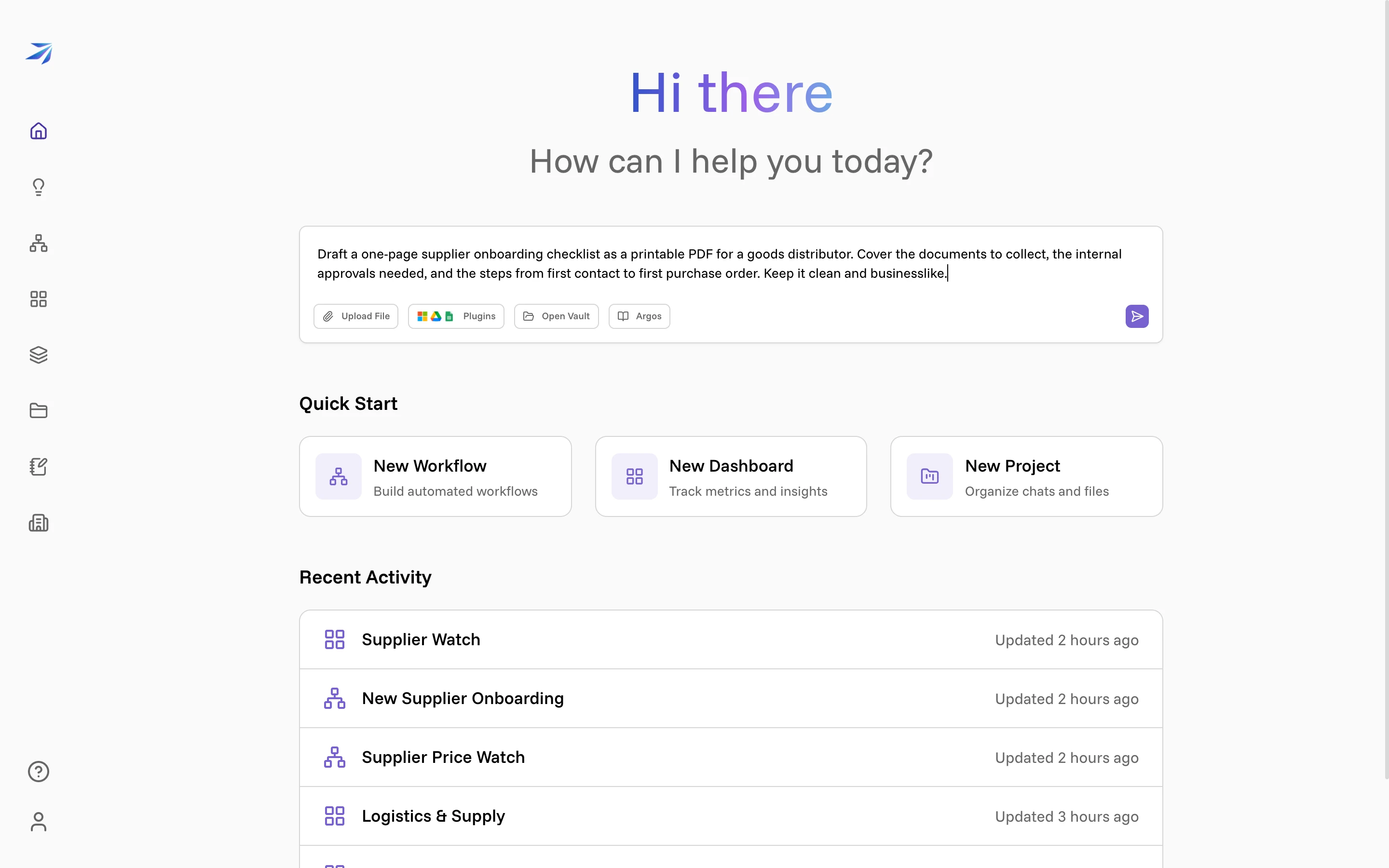
The request above asks for a one-page supplier onboarding checklist as a printable PDF, covering the documents to collect, the internal approvals needed, and the steps from first contact to first purchase order. Press
Enter to send it.
Watch it build
You can follow along in the chat as each step happens — here Corint loads its PDF and Word document skills, then writes the checklist and converts it to PDF.
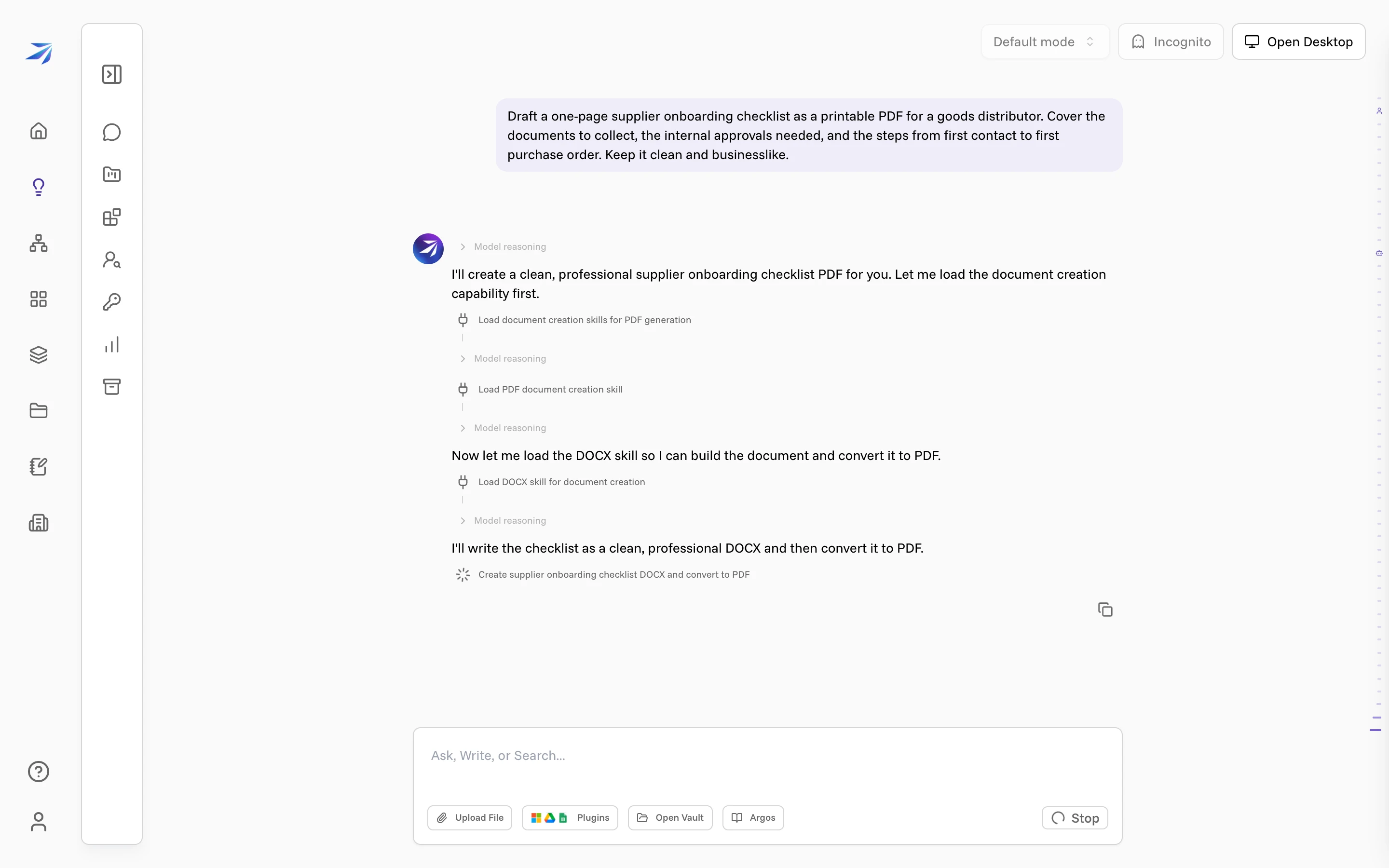
A short document takes under a minute. You don't have to keep the page open — the work continues on its own.
Get the file
When it finishes, Corint tells you what it made and shows the file as a chip you can click.
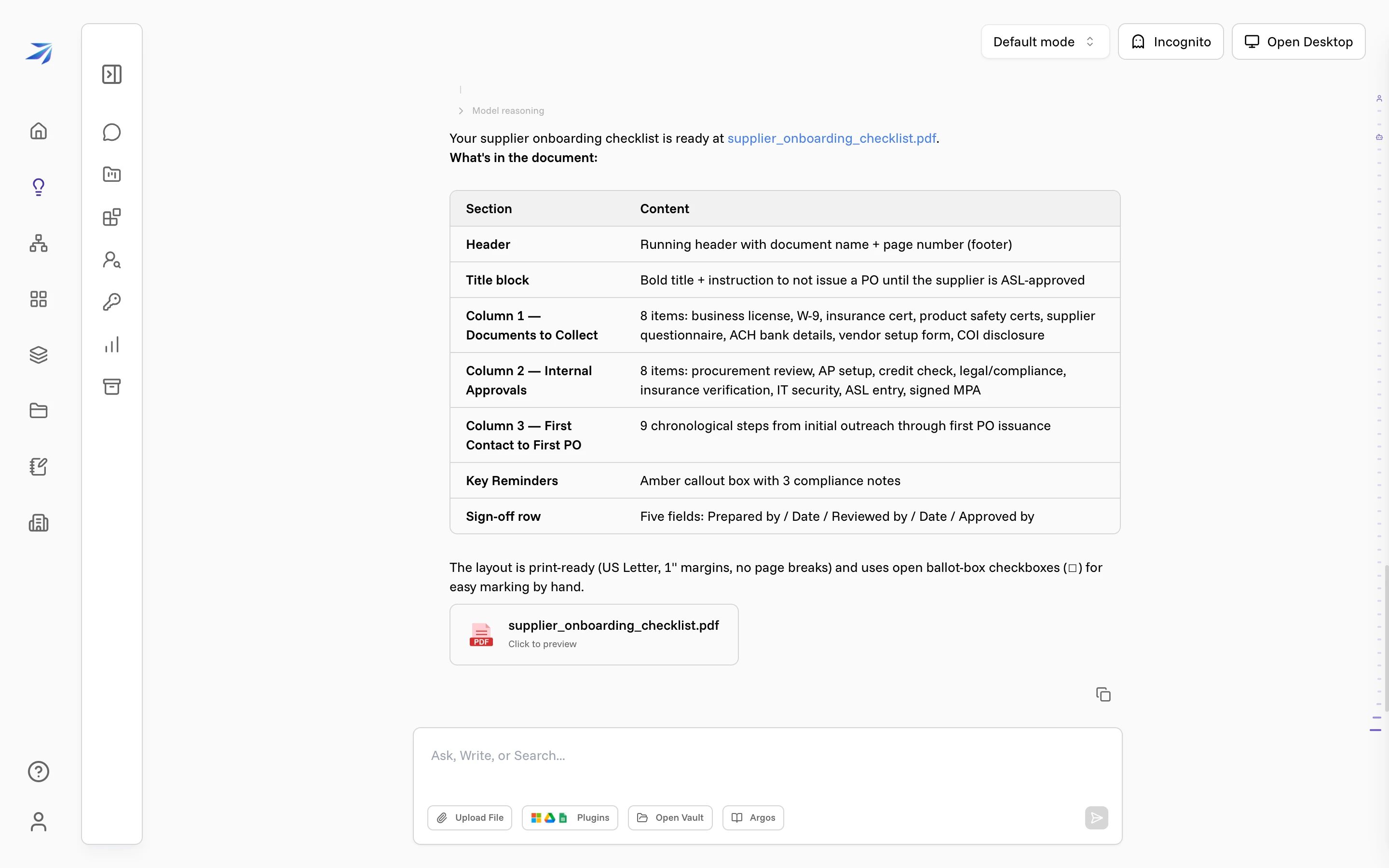
The summary above lists what went into the file — the three columns, the reminders box, the sign-off row — so you know what's inside before you open it.
Preview and download
Click the file chip to open a preview. This is the real, rendered document, not a description of one — laid out on the page, print-ready. The download button in the top corner saves it to your computer.
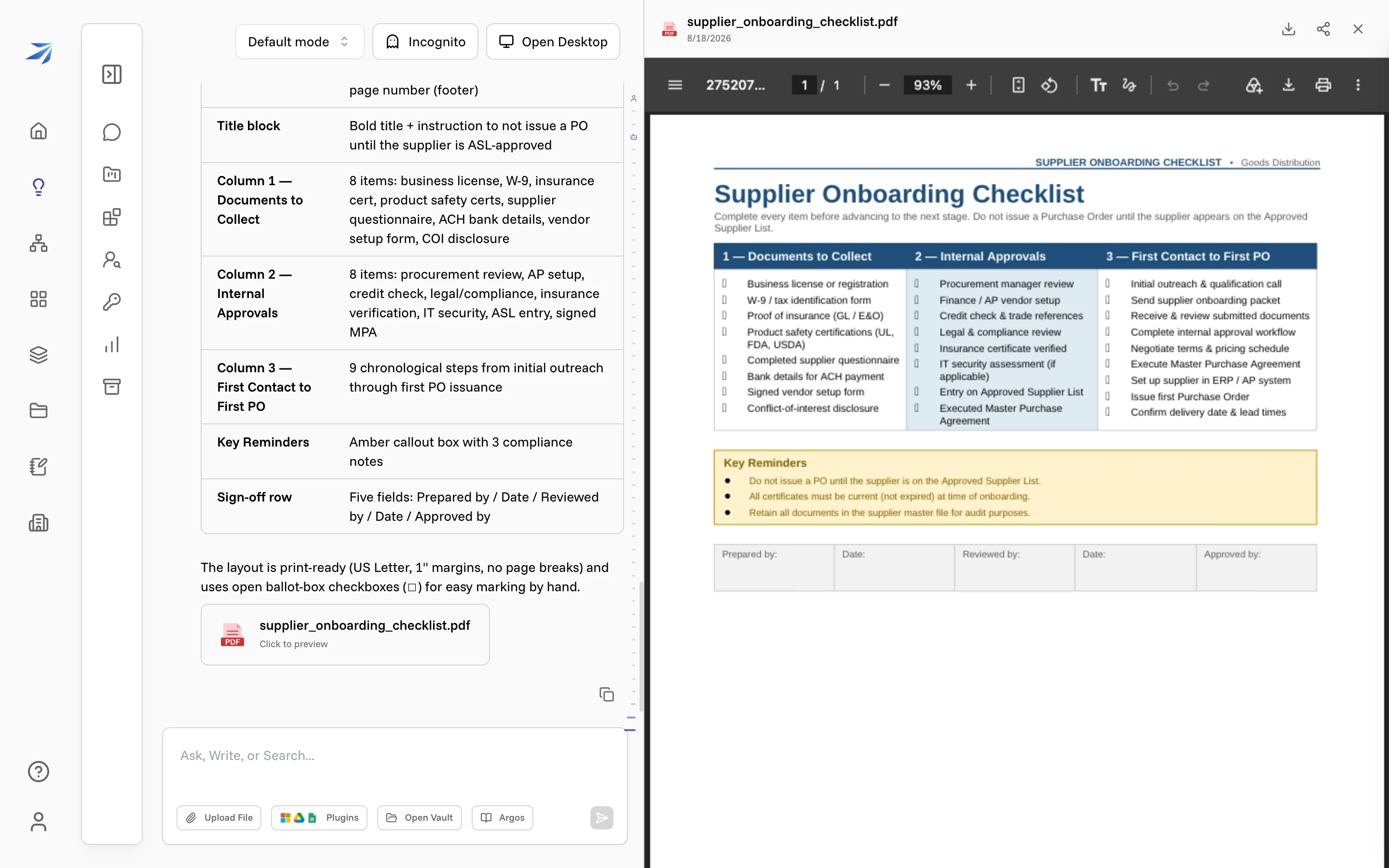
You can also ask Corint to save it straight to your Vault, where your team will find it.
Ask for the format you actually need
PDF is one option. The same request works for a Word document you'll keep editing, a spreadsheet, or a slide deck — say which one you want and Corint builds to it. If you don't say, it picks a sensible format for what you asked for.
Two things make the result better: say who it's for and how long it should be, and hand over any real content you want it built from. Attaching a price list or pulling a file from the Vault turns a generic template into a document that uses your own numbers.