Build a website
Ask Corint for a landing page or a working demo, and get back a real site the sandbox builds, serves, and shows you running.
You want a landing page, an internal tool, or a quick prototype to show someone — a real one you can look at, not a description of one. Ask Corint for it and it writes the site, serves it, and takes a picture of the running page so you can see how it turned out.
The work happens in the sandbox: a private computer attached to your chat that holds the files, runs a local web server, and can open the page in a real browser to capture it. You never set any of that up.
Ask for the site
Describe the page you want: what it's for, the sections it should have, and the style. Brief it the way you'd brief a designer.
The request behind the screenshots below asks for a clean one-page landing page for Meridian Distribution, with a hero, three feature cards, and a contact footer — and ends with serve it locally and take a screenshot of the running page so I can see how it looks. That last line is what turns a file into something you can look at.
Watch it build
Corint loads its code-editing skills, writes the HTML and CSS, starts a local web server, and installs a headless browser to photograph the page. Every step shows in the chat as it happens.
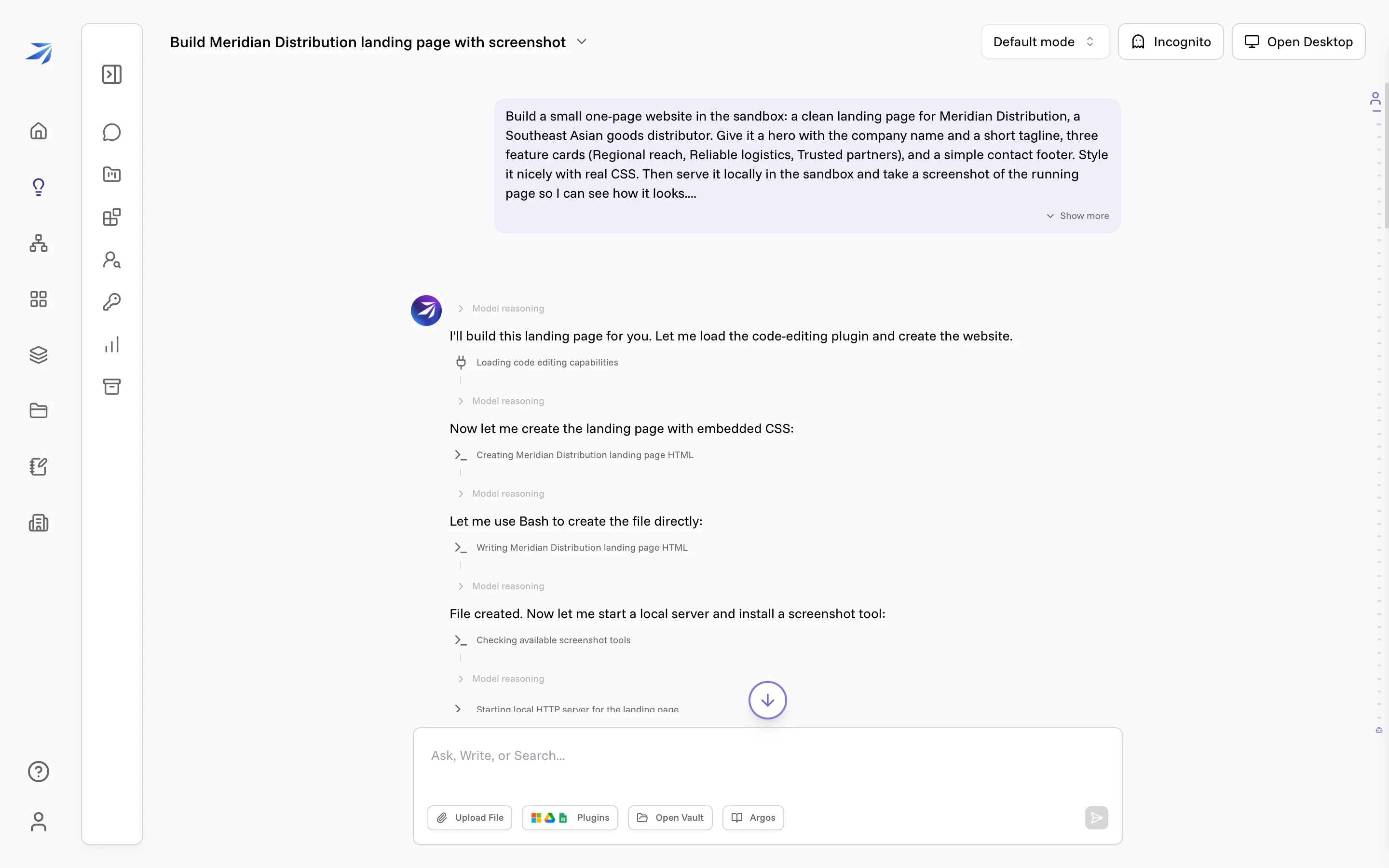
A single page takes a couple of minutes, most of it spent installing the browser the first time. You don't have to keep the page open — the work continues on its own.
See it running
When it finishes, Corint has a real screenshot of the served page: the navy hero with its gold headline, the three feature cards, and a working contact form.
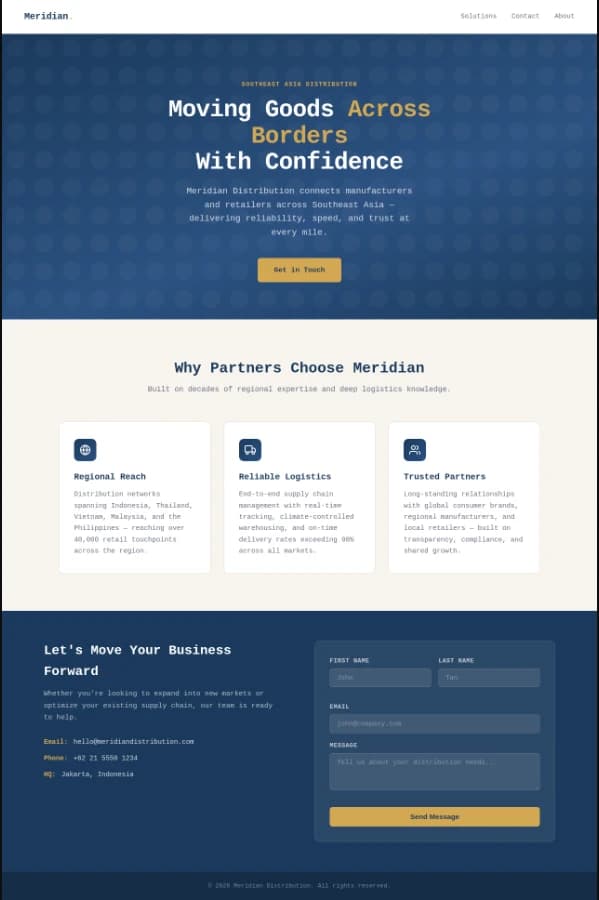
If something looks off, say so in the same chat — "make the hero darker", "add a pricing section", "the cards should be two columns". Corint edits the files and serves the page again.
Keep the files
Corint ends with a summary of what it built and saves the deliverables to
your Vault, where your team can find them: the
index.html for the site, and the screenshot.png of the running page.
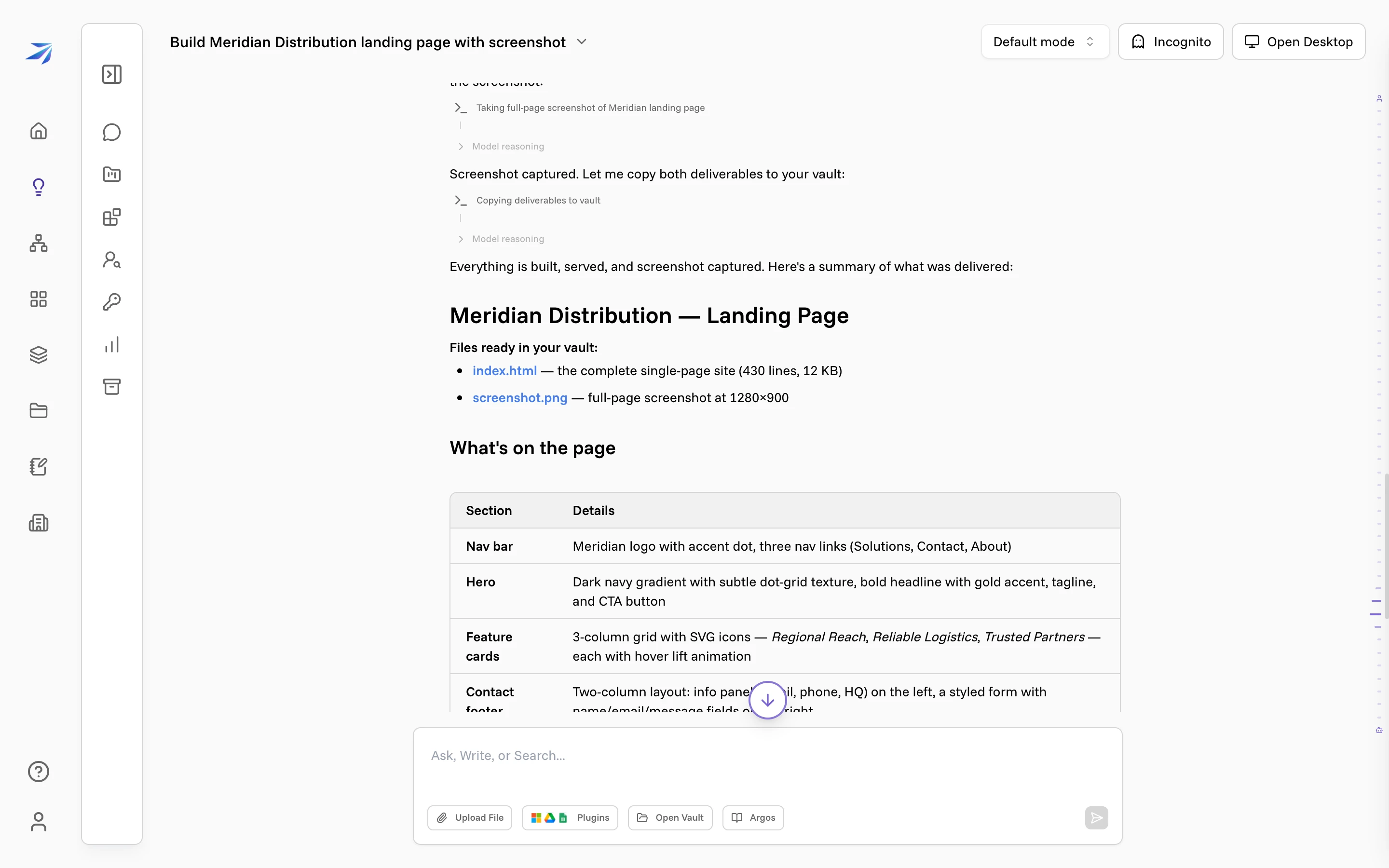
The index.html is the whole site in one file. Open it in any browser, hand it
to a developer, or ask Corint to keep working on it.
More than a single page
A landing page is the simplest case. The same conversation can build a working demo with a few pages, a small internal tool that reads a file and shows a chart, or a prototype you want to click through before anyone writes production code.
Two things make the result better. Say who the site is for and what it should say, so the copy isn't generic. And hand over real content — a price list, a logo, a paragraph of real text — so the page uses your own material instead of placeholders.
To sit with the running site yourself, open the Desktop panel: its browser view is a real browser on the same machine, so you can open the address the sandbox is serving and click through the site while the conversation is still open.