The builder chat
Describe the process in plain language and have Corint draft the steps for you.
Building a workflow by hand is not hard, but it does ask you to translate. You know the process — summarize the delayed shipments, then have someone in operations sign off — and the canvas wants nodes, types, and edges.
The left half of the builder skips the translation. Every workflow opens with a chat titled Describe your workflow: "Tell me what you want to automate and I'll build the steps for you."
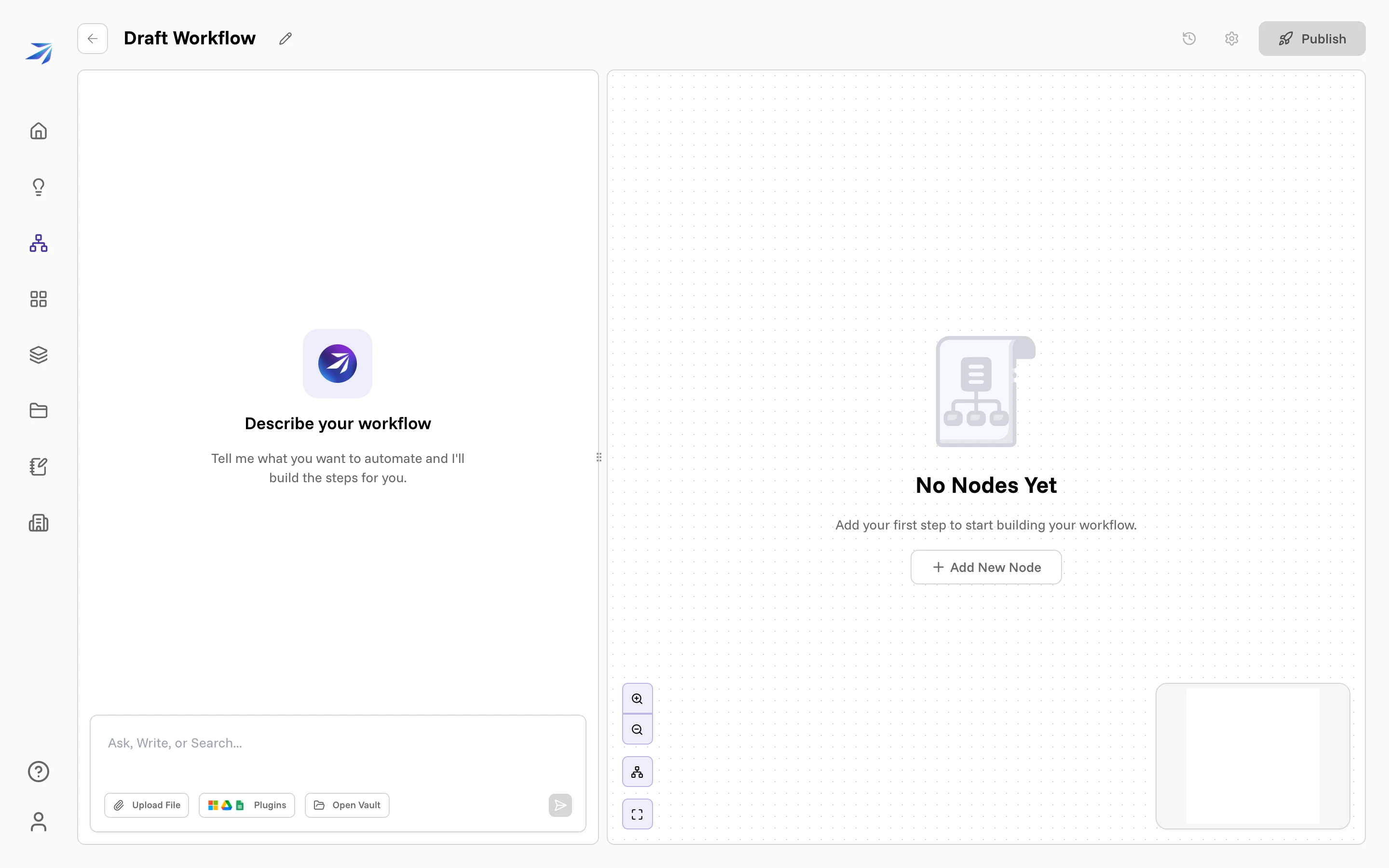
It looks around before it drafts
Type the process the way you would explain it to a colleague. Before writing anything, the builder looks at what it would have to work with — which integrations your organization has connected, what is in the Vault, whether Atlas has the data. You can watch each check as it happens.
Then it asks about whatever it could not settle on its own.
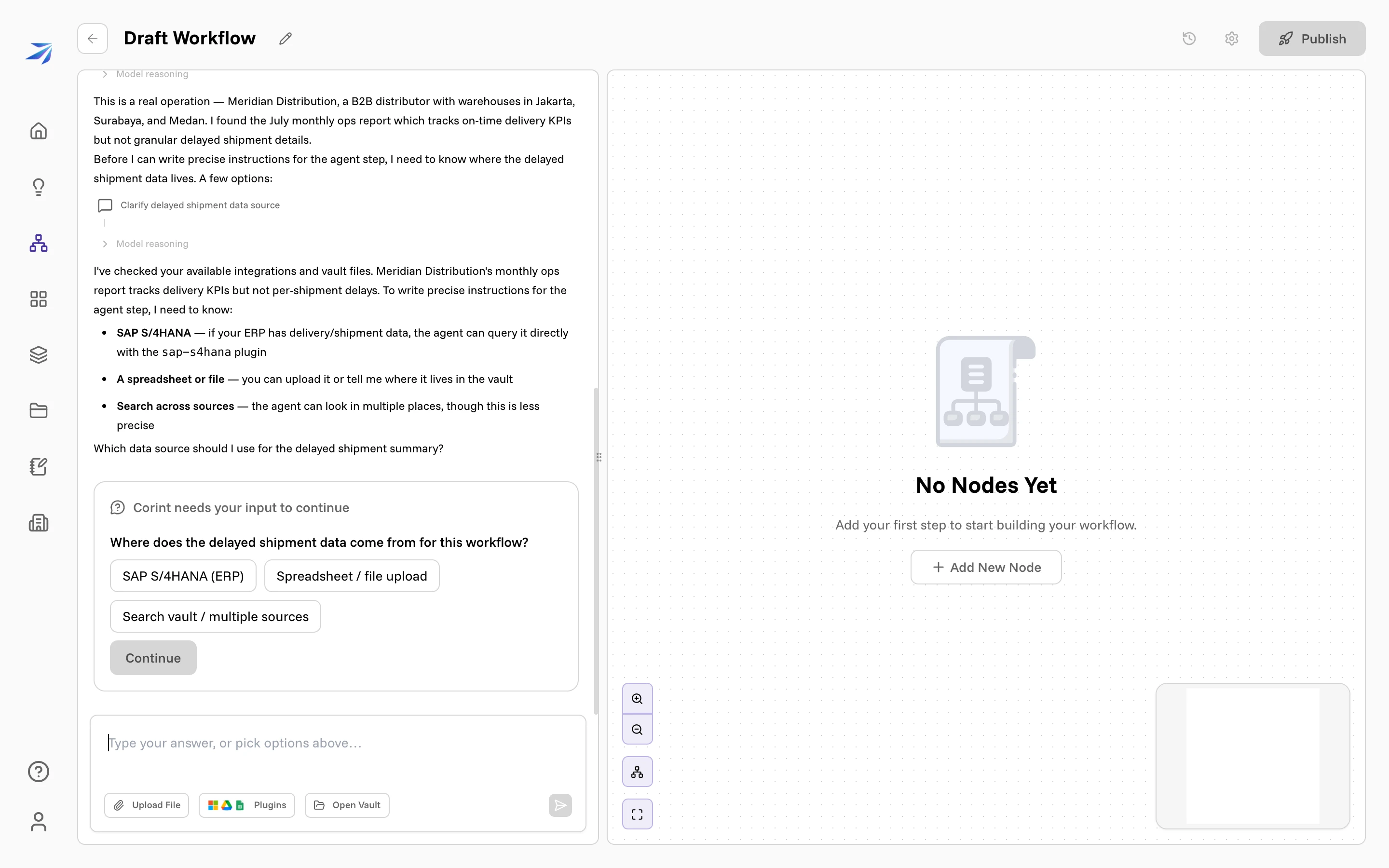
Corint needs your input to continue carries the question — Where does the delayed shipment data come from for this workflow? — above the answers it thinks are plausible: SAP S/4HANA (ERP), Spreadsheet / file upload, Search vault / multiple sources. Pick one and press Continue, or type something else in the box beneath: "Type your answer, or pick options above…".
Read the options rather than clicking the first one. Nobody at Meridian has connected SAP, and the builder proposed it anyway — the list is what it imagines the work might need, not an inventory of what you have.
The questions are the point. A step whose instructions say "search the vault" produces vaguer work than one that names the file, and the builder would rather ask than guess.
What it builds
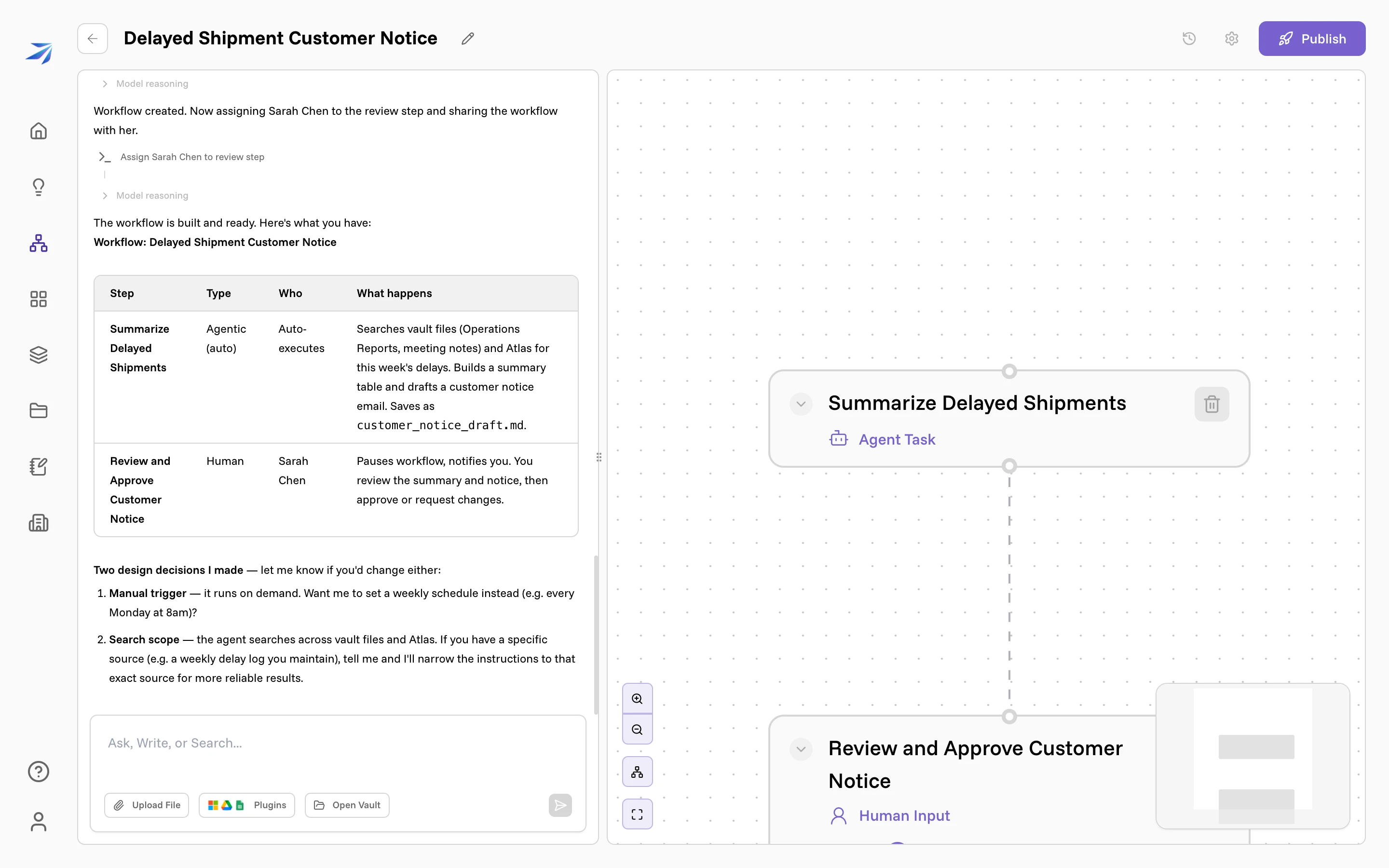
When it has enough, it writes the workflow: named steps, each with its type and its instructions, connected in order, and it renames the workflow from Draft Workflow to something that describes the job. Then it reports back — what each step is, who it belongs to, what it will produce — and flags the decisions it made for you, like choosing a manual trigger over a weekly schedule.
Everything it can build, it can also change on request:
- Steps — add one, remove one, rewrite a step's instructions, rename it.
- Order — connect steps, disconnect them, split work into parallel branches.
- People — assign a Human Input step to someone, or set a default answer for scheduled runs.
- Timing — set a schedule, or leave it manual.
- Access — share the workflow with the people it involves.
So keep talking: "make the second step wait for a person", "run it every Monday at 8", "be specific about which folder to read". The canvas updates as it goes, and you can edit any step by hand at the same time.
Nothing runs until you publish
Publish stays disabled until the workflow has steps, and no run happens until you press it. Read the generated instructions before you do — they are prompts, and they are what the agent will actually follow at 08:00 on a Monday when nobody is watching.
If you would rather see how each piece works before handing the job over, Your first workflow! builds the same kind of thing by hand.