What are integrations?
The catalog of outside services Corint can use, and how it finds the right one mid-conversation.
Corint already reads your files, queries your connected data, and searches the web. What it cannot reach on its own are the accounts your team keeps somewhere else — the issue tracker, the CRM, the shared drive, the accounting system. An integration is a door into one of those. Someone opens it once, and from then on Corint uses it like any other capability.
Ask, and Corint goes looking
You do not pick tools from a menu before you start. Ask for the outcome, and Corint searches the catalog itself. Here it was asked for open GitHub issues:
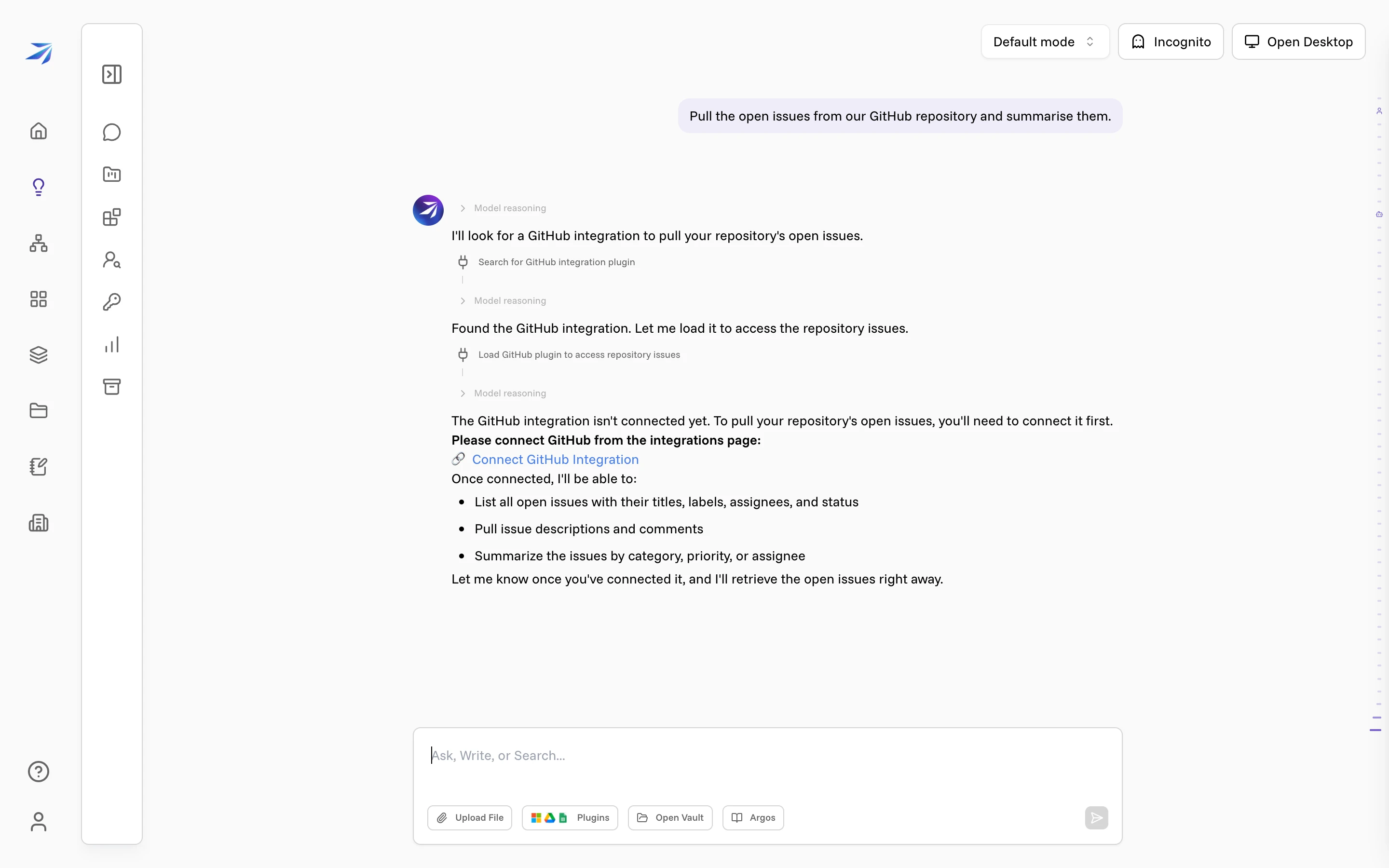
The two step lines are the record of that search — Search for GitHub integration plugin, then Load GitHub plugin to access repository issues. Nobody at this company has connected GitHub, so the answer is a link to the catalog instead of a list of issues, along with what Corint could do once the connection exists.
When the integration is connected, the same request runs straight through: Corint loads it mid-answer and keeps going.
The catalog
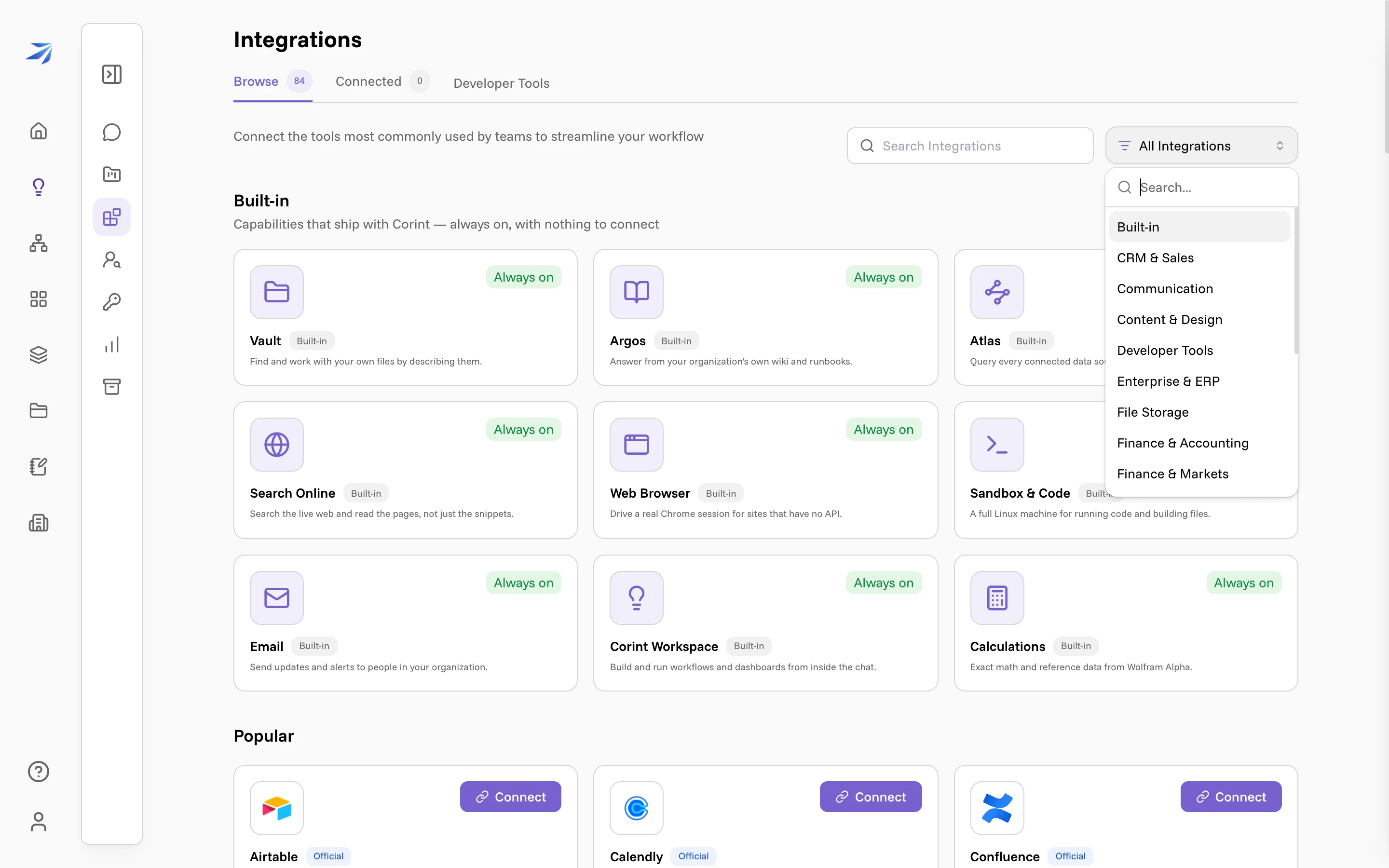
Click Integrations in the Corint sidebar. (The Plugins button under the chat box goes to the same place.) Three tabs run across the top:
- Browse — everything available to you, with the total beside the tab.
- Connected — what you or your organization has already connected.
- Developer Tools — for teams that build an integration of their own.
What you build there is a plugin: an MCP server you own. Once you register it, it appears in this same catalog as an integration like any other. Your first integration! walks that end to end.
Built-in and connectable
The first section is Built-in — in the product's own words, "capabilities that ship with Corint — always on, with nothing to connect". Each of those cards carries an Always on chip instead of a button, and Built-in tools covers what they do.
Everything below that line is connectable. Those cards carry a Connect button, and Corint cannot use them until someone presses it.
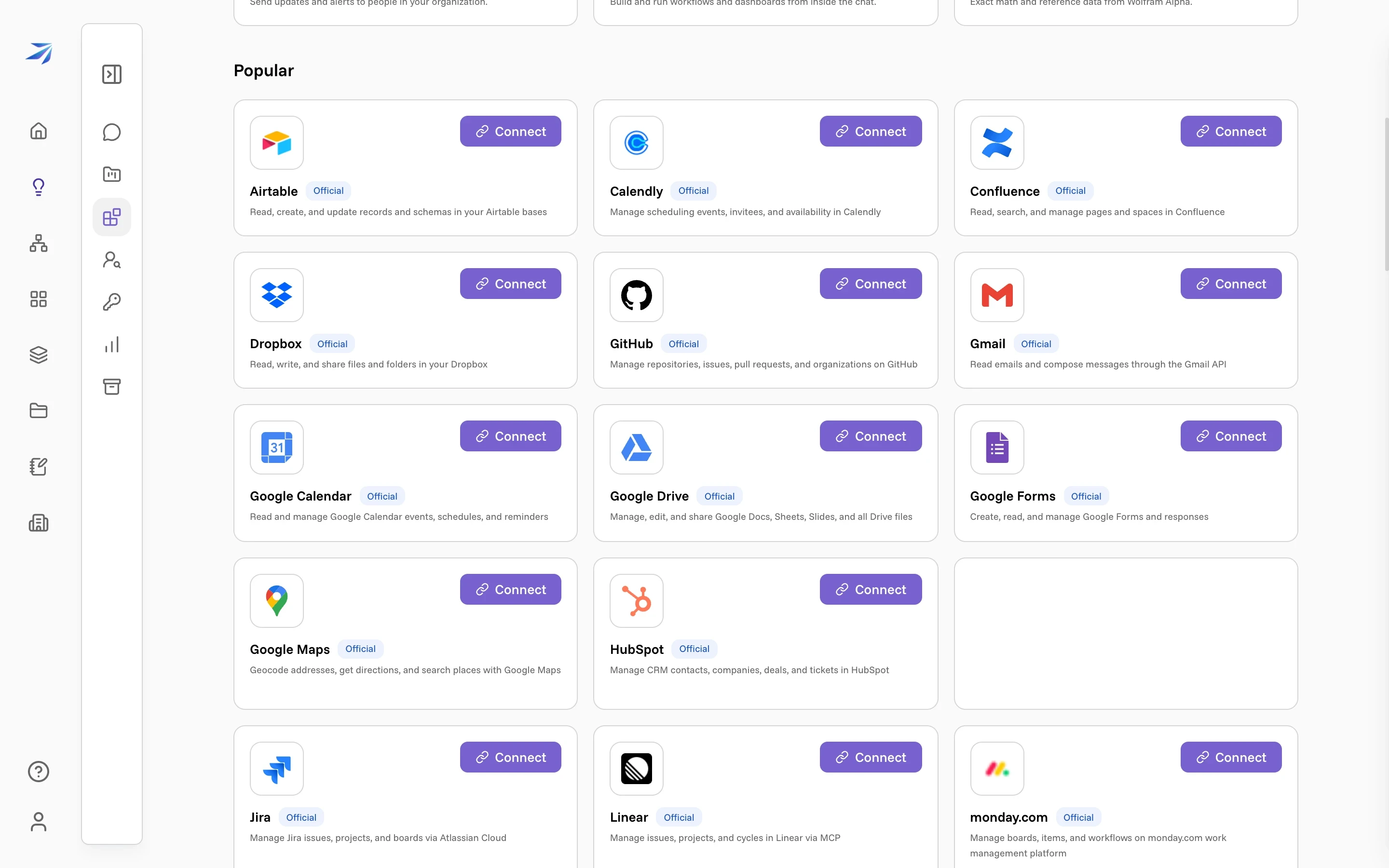
The difference matters in one respect: a built-in reaches only what your own account can already see; a connectable integration acts with the access of whoever connected it.
Finding the one you need
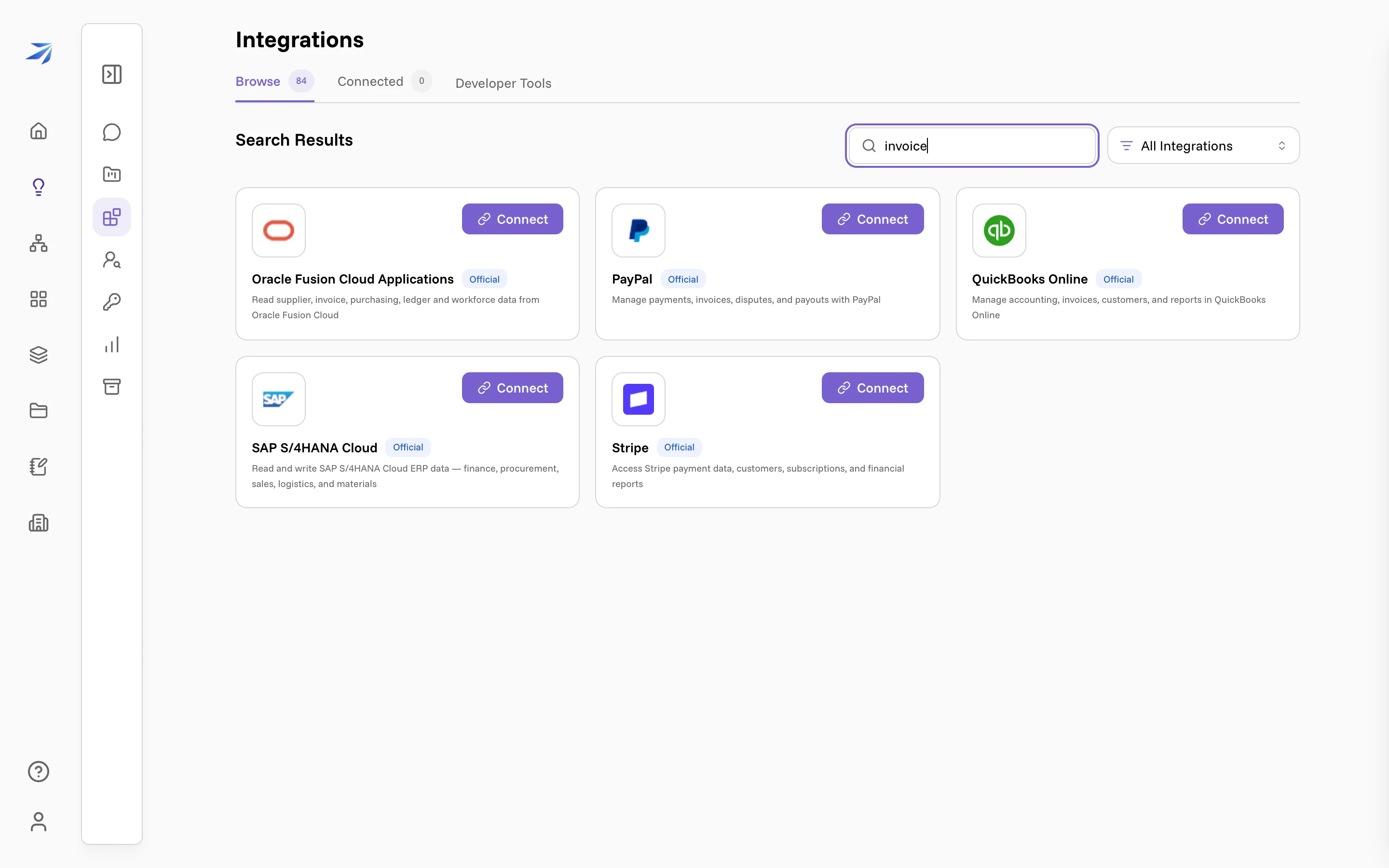
Search matches names and descriptions, so you can look for the job rather than
the brand. Searching invoice turns up the accounting and ERP systems that
handle invoices, whether or not the word is in their name:
The All Integrations dropdown next to the search box filters by category instead — Built-in, CRM & Sales, Communication, Developer Tools, Enterprise & ERP, File Storage, Government & Public Data, Project Management, and the rest. Picking one replaces the page with that category and its own one-line description.
Where a connected integration shows up
Once connected, an integration is available in two places:
- In chats. Corint loads it when a request needs it, the same way it reached for GitHub above. What it may then do (read, write, delete, and when it has to ask you first) is set by tool permissions.
- In workflows. An Agent Task step ("Let an AI agent complete this step using an integration") draws on the same connections, so automated work can reach the systems your chats reach. Whose connection it uses is set per step: the workflow's owner by default, or the person you name as the step's executor. That person has to have connected the integration themselves; until they do, the workflow shows an Authentication Required warning in place of its run button.
Two ways to connect one
Which route a service takes is decided by the service, not by you. Open its card and the catalog shows you which one applies.
- For you. Most integrations connect per person: you sign in to your own account, and the connection is yours. Teammates connect their own.
- For the whole organization. Enterprise systems authenticate as one service account. An admin configures it once, and everyone gets it.
Where to go next
Connecting an integration
Walk one connection end to end, then take it apart again
Organization integrations
Connect an enterprise system once, for everyone
Build your own
Wrap your own service as a plugin Corint can call
Built-in tools
The nine capabilities that need no connecting at all
Tool permissions
What Corint may do with a tool, and when it asks first