Argos with Corint
Attach wiki pages to a conversation and get answers grounded in what your team wrote.
Writing a procedure into Argos pays off the day someone needs it and doesn't know where to look. They don't have to look: Corint can read Argos pages and answer from them. In the Integrations catalog, Argos is listed as a built-in capability — "Answer from your organization's own wiki and runbooks" — always on, with nothing to connect.
This works wherever Argos is enabled for your organization.
Attaching a page to a chat
The Argos button sits in the chat composer, next to Upload File and Open Vault. It opens a drawer of your spaces; pick a space, then pick the pages you want the assistant to read. Each selected page appears as a chip above the composer.
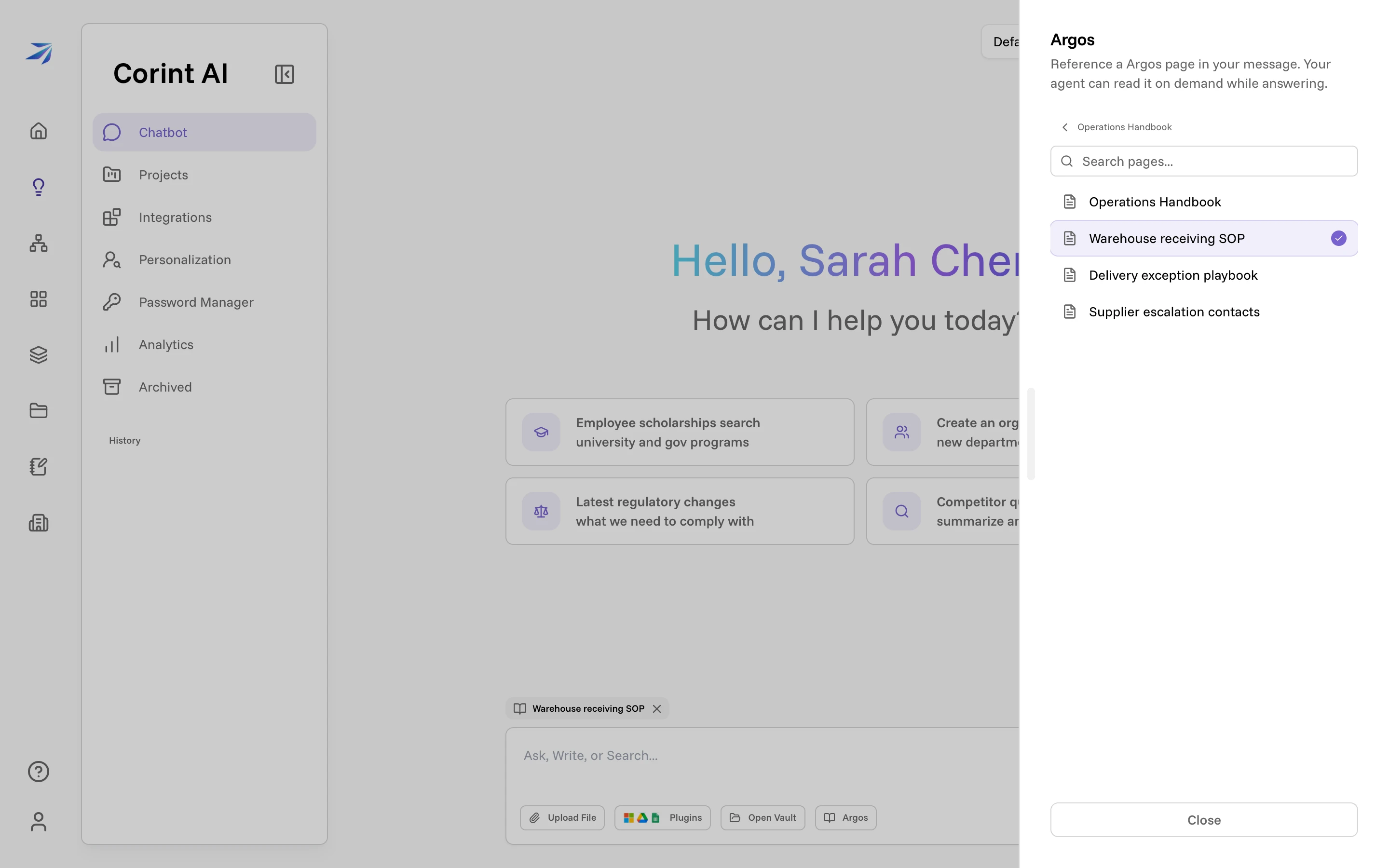
Attaching a page doesn't paste its text into your message. It hands Corint a reference it can open while answering — so you can attach a long SOP and ask a short question.
Asking
With the page attached, ask in plain language. Corint shows its work: a "Reading … from Argos" step appears while it opens the page, and the answer draws on what the page actually says.
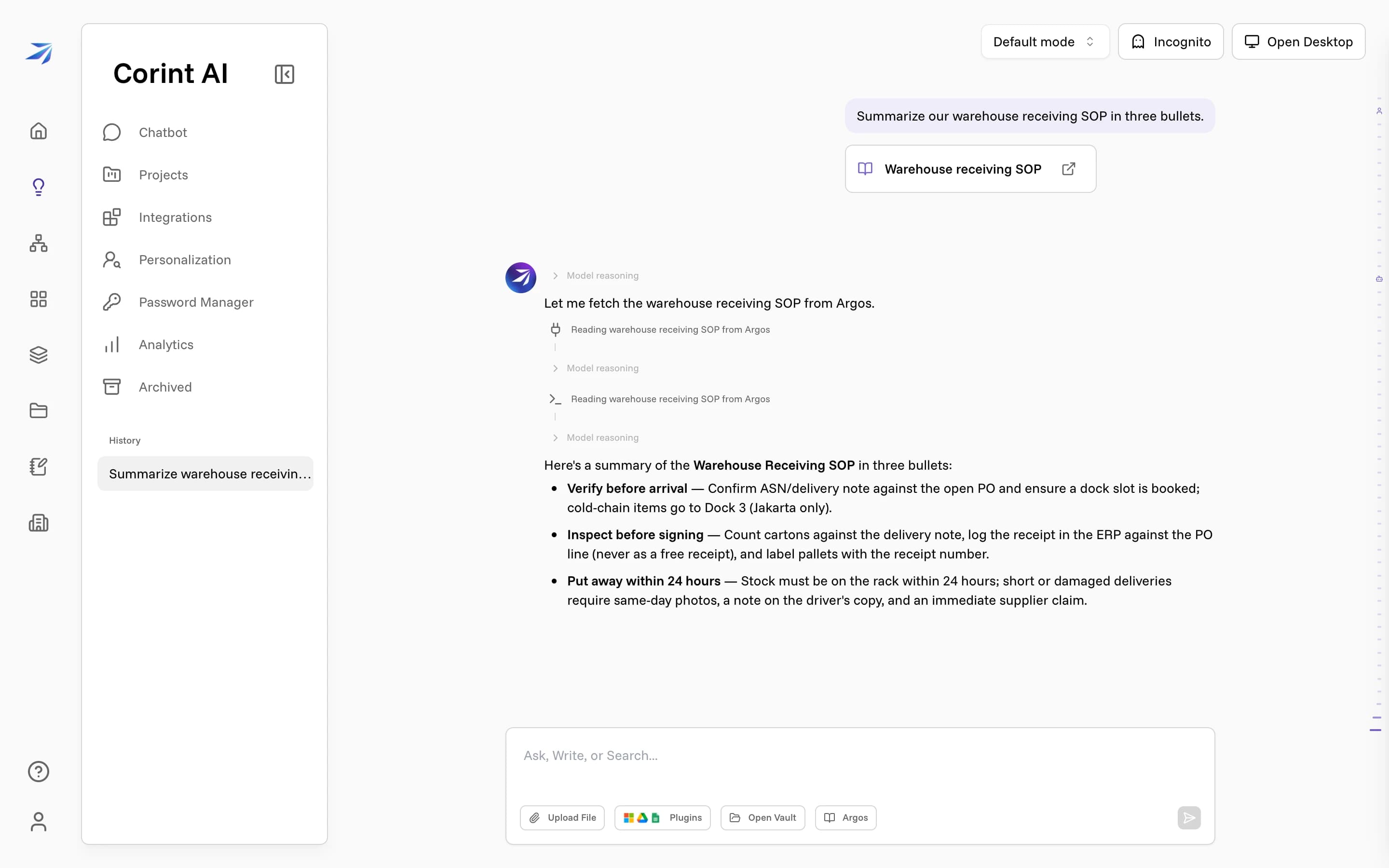
The receiving SOP above was written once, in Argos; the three-bullet summary came from asking. The same works for "what's our discount approval threshold?" or "draft an email to this supplier following our escalation ladder" — any question your team's own pages can answer.
Corint can also reach Argos without an attachment, since the capability is always on. Attaching pages is how you remove the guesswork: the assistant reads exactly the pages you chose.
Argos settings
Settings in the Argos sidebar controls how Argos opens, reads, and looks, in four tabs:
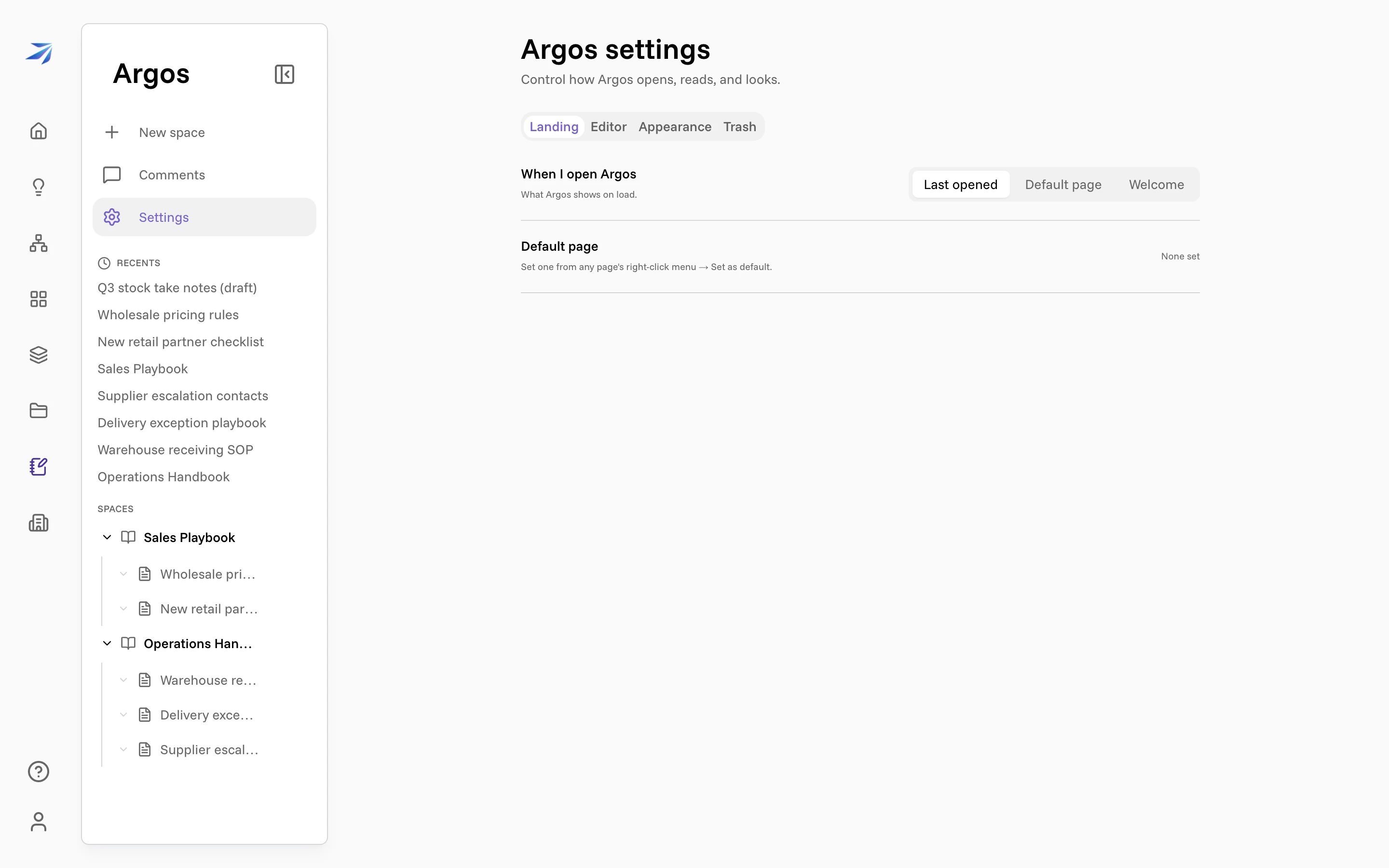
- Landing — what Argos shows when you open it: Last opened, a Default page (set from any page's menu with Set as default), or the Welcome view.
- Editor — page width, font, smaller body text, spellcheck, and whether new pages start with Inherit access on.
- Appearance — the sidebar's Recents list: show it or not, how many entries, and how dense the sidebar is.
- Trash — deleted spaces, each waiting to be restored or deleted permanently.
These are your personal preferences — changing them doesn't affect your teammates.