Make sense of a hard document
Hand Corint a dense file — a long audit log, a policy, or a contract — and ask real questions about what's in it, what matters, and what connects to what.
Some documents are a slog. A seven-hundred-line access log. A policy written in legalese. A contract where the one clause that matters is buried on page nine. You can hand the whole thing to Corint and ask the questions you'd want a careful colleague to answer: what's in here, what looks wrong, and what connects to what.
This page works through a real dense file — an ERP access and change audit log, about 725 events — and pulls a fraud story out of it in two passes.
Give Corint the document
Attach the file to a chat with Upload File in the composer, then ask your question. For a document you'll only look at once, attaching it here is enough — you don't have to add it to the Vault.
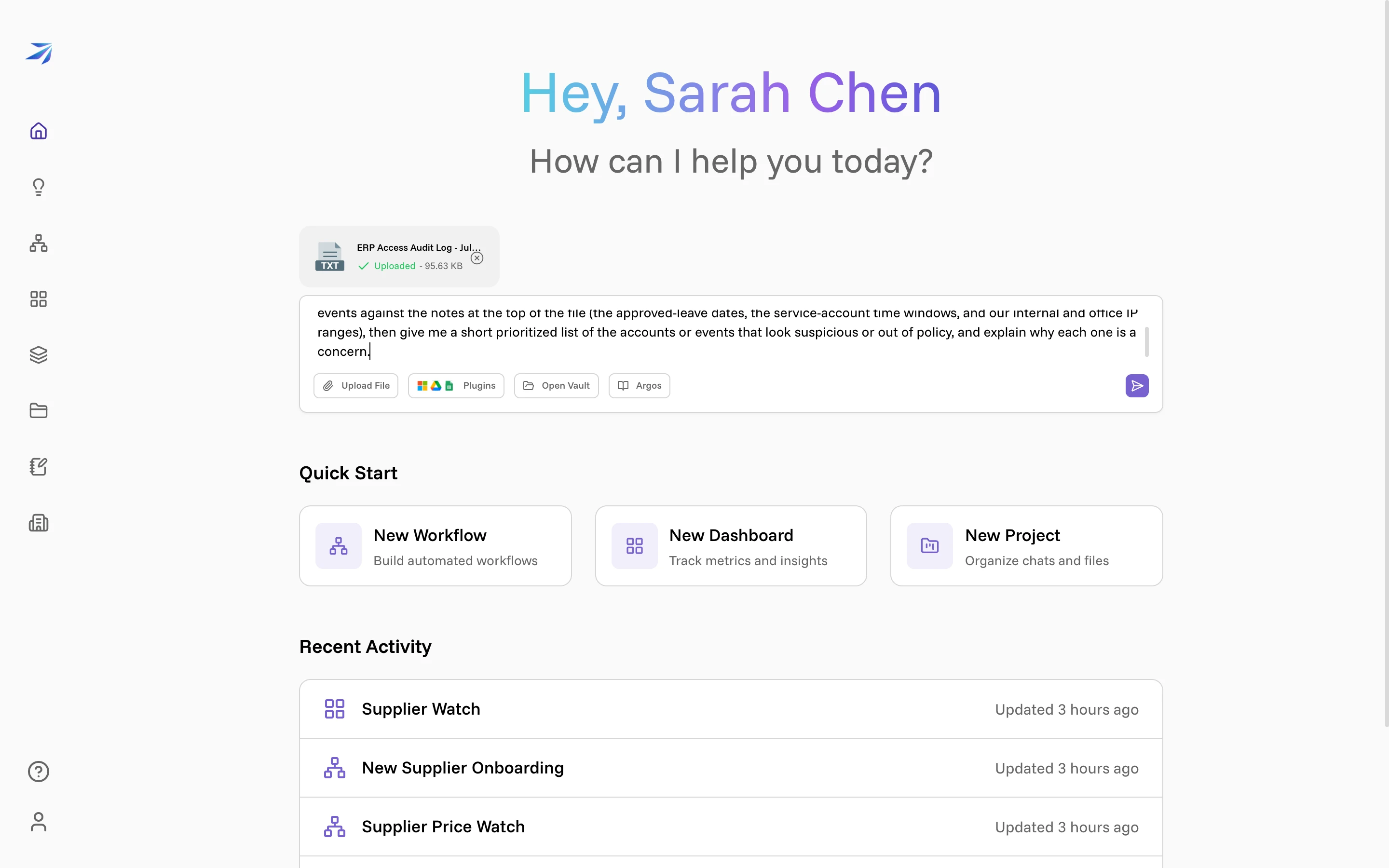
The file has notes at the top — approved leave dates, the hours each service account is supposed to run, which IP ranges are the office — so the first question asks Corint to read those notes and check the events against them.
Ask broadly first
Start wide. Corint reads the whole file, cross-references it against those notes, and comes back with a prioritized list of what looks suspicious or out of policy.
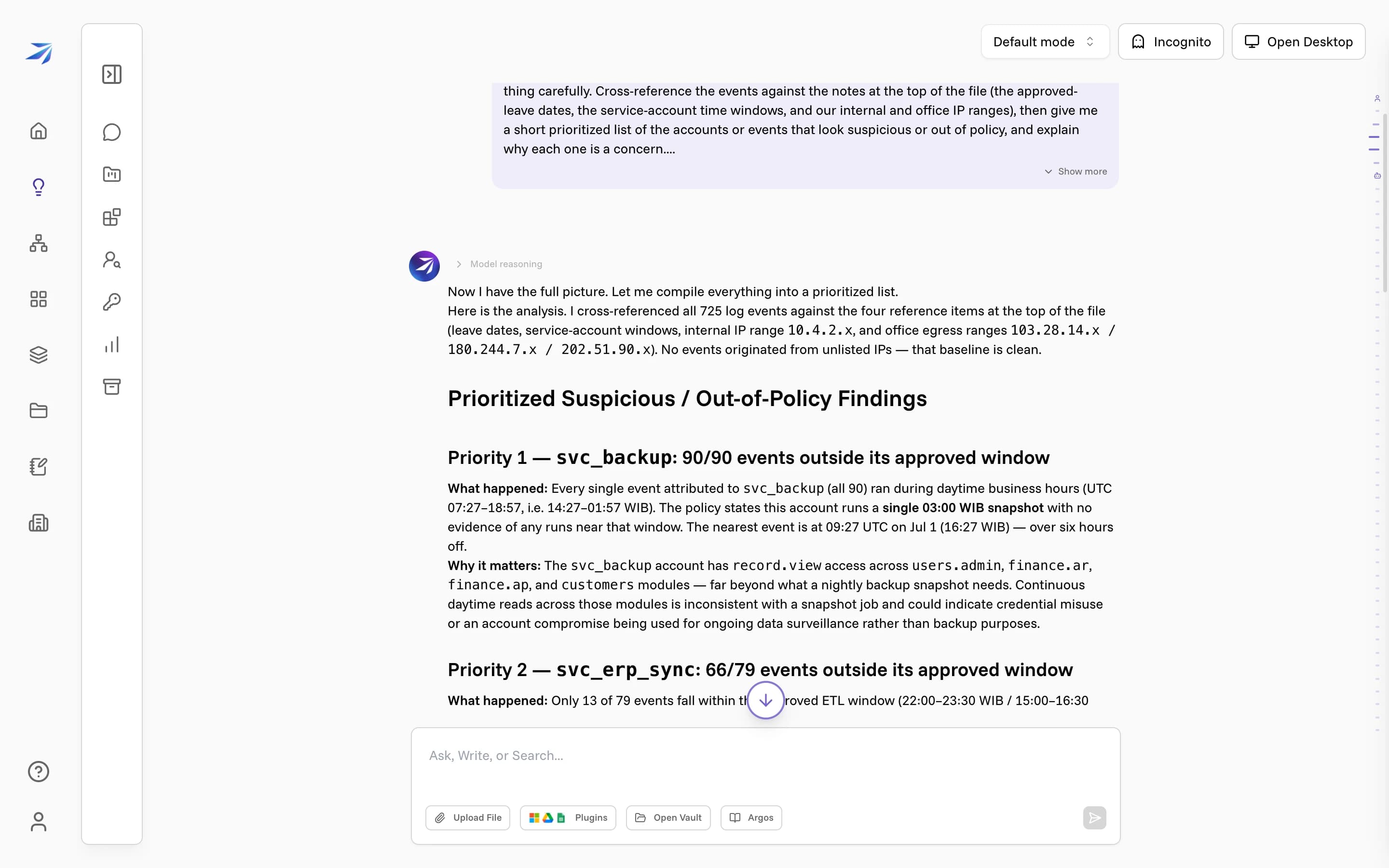
This is a strong first map. It caught an account active during its owner's approved leave and service accounts running far outside their scheduled windows.
A broad sweep like this leans on patterns and volume, though, so it can miss a single buried event — this pass even concluded the login IPs were all clean, and they weren't.
Then ask for the exact lines
Narrow the question. Ask Corint to go back through the raw events and quote the actual lines for the specific things you care about — logins from unfamiliar addresses, one person changing another's permissions, edits to an invoice.
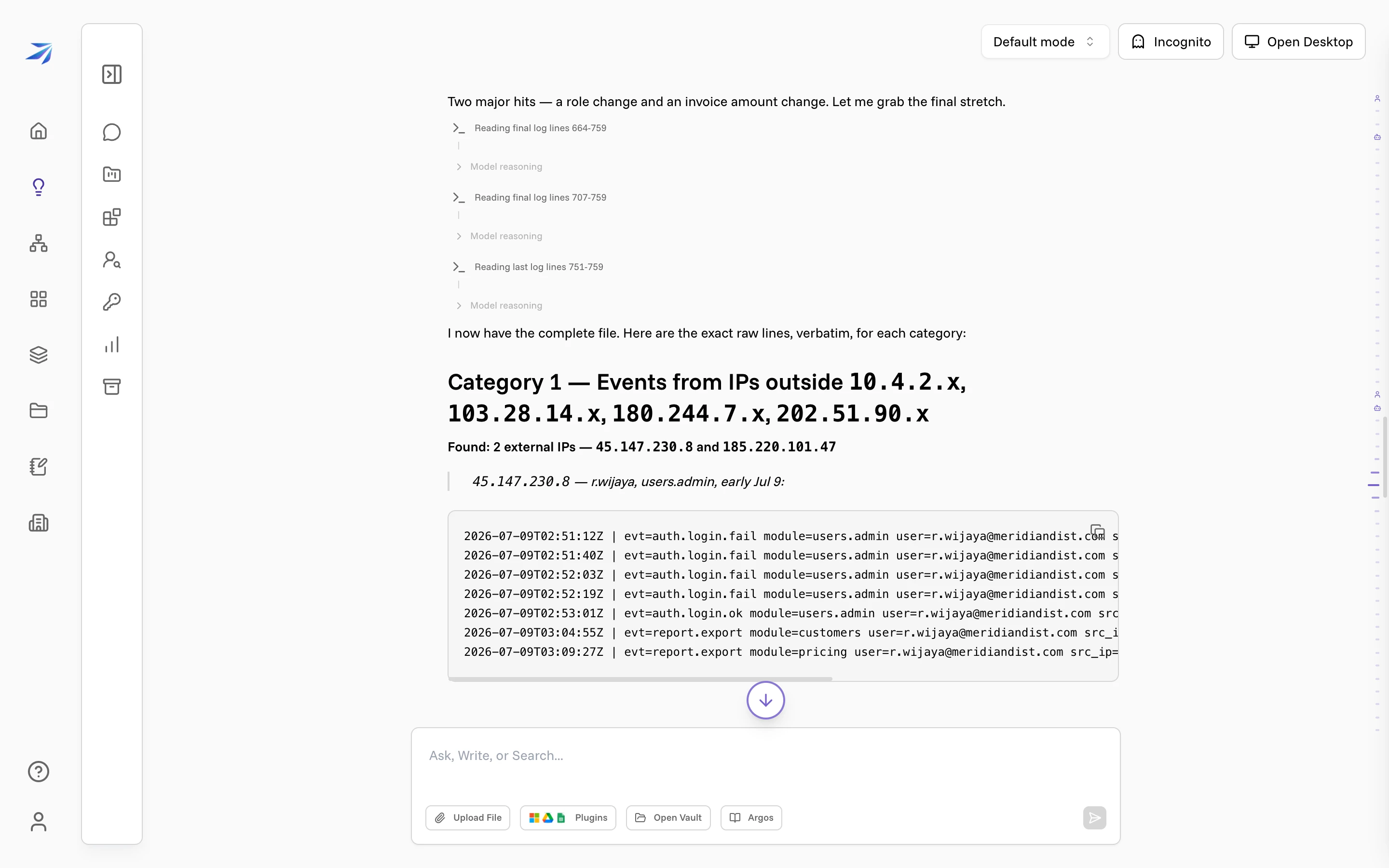
Here it finds two IP addresses that aren't the office, and the exact login and export events behind them — the ones the broad pass glossed over.
Read the story it assembles
With the exact lines in hand, Corint puts them in order.
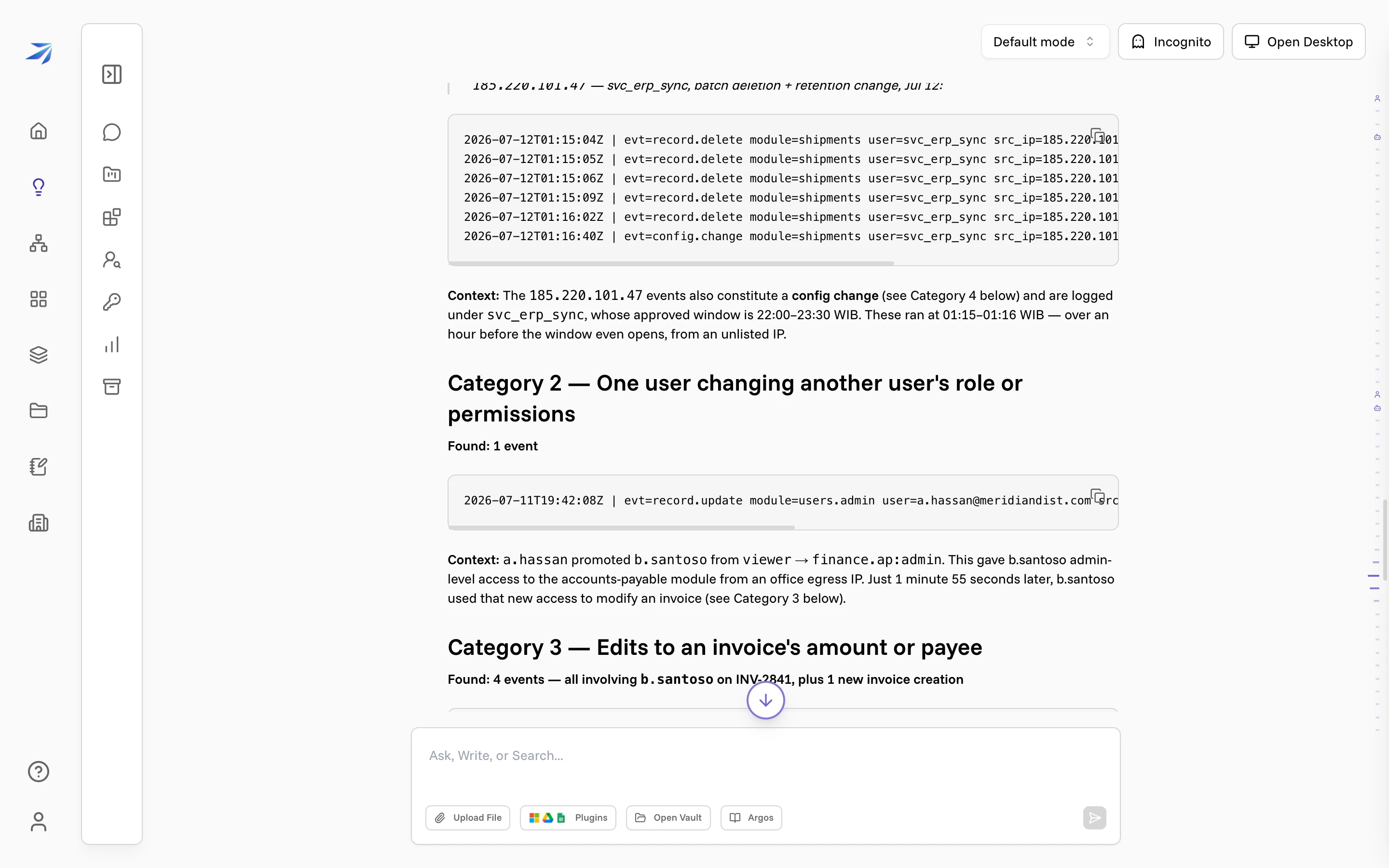
One user grants another admin access to accounts payable. A minute and 55 seconds later, that newly promoted account cuts an invoice by 90%, changes the payee to a new vendor, and creates a fresh invoice to the same vendor. Each event carries its timestamp, so the connection is impossible to miss.
Broad for the map, specific for the receipts
That two-pass shape works on any hard document, not just a log. Ask a wide question first to get your bearings — the themes, the outliers, the parts worth a closer look. Then ask pointed questions about the parts that matter.
Ask it to quote the source
When a finding matters, tell Corint to quote the exact text it's drawing from. You get lines you can verify against the original instead of a paraphrase you have to trust.
The same approach reads a contract (summarize it, then ask what each party is actually obligated to do), a policy (what does it say about this case), or a pile of exported data (what's unusual, then show me the rows).