Notifications
Choose which events reach you by email and which appear in the app.
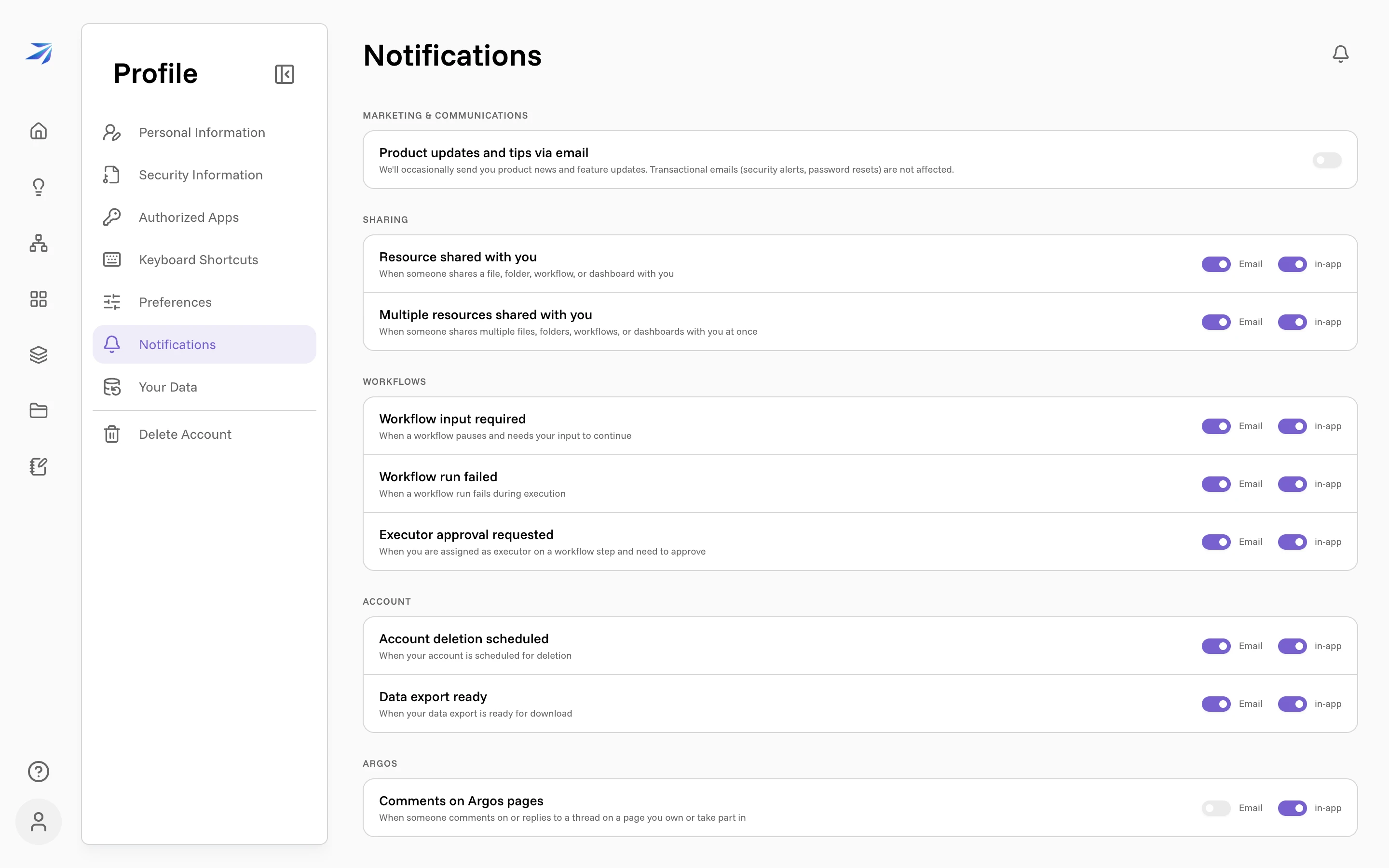
Futurity notifies you when something needs your attention: a workflow pauses for your input, someone shares a file with you, your data export finishes. The Notifications page (your avatar → Profile → Notifications) decides, event by event, whether that arrives as an Email, an in-app notification, both, or neither.
Open the bell in the top-right of Home or the Corint new-chat page to see your in-app notifications. Its badge shows your unread count; select a notification to open it, or choose Mark all as read to clear the unread count.
What each event means
The switches are grouped by product area. Each row carries its own explanation in the interface; here is the full list:
| Category | Event | Fires when |
|---|---|---|
| Marketing & Communications | Product updates and tips via email | Occasional product news and feature updates |
| Sharing | Resource shared with you | Someone shares a file, folder, workflow, or dashboard with you |
| Sharing | Multiple resources shared with you | Someone shares several things with you at once |
| Workflows | Workflow input required | A workflow pauses and needs your input to continue |
| Workflows | Workflow run failed | A workflow run fails during execution |
| Workflows | Executor approval requested | Nothing sends this one yet, so the switch has nothing to act on |
| Account | Account deletion scheduled | Your account is scheduled for deletion |
| Account | Data export ready | Your data export is ready for download |
| Argos | Comments on Argos pages | Someone comments on or replies to a thread on a page you own or take part in |
For the two Sharing rows, Sharing and trash shows what lands on your side.
Out of the box, everything is on for both channels, with two exceptions: marketing email is off, and Argos comments arrive in-app only.
Three kinds of message ignore these switches entirely. Transactional email (security alerts, password resets) always sends, and so do the two Account events, Account deletion scheduled and Data export ready, because you need to hear about your own account whatever your settings say. Their switches are shown for completeness; flipping them changes nothing.
A suggestion, not a rule
The workflow events deserve their email switches left on. Workflow input required means an automation is standing still until you act; the whole point of human-in-the-loop workflows is that you hear about the pause promptly. Argos comment email, on the other hand, is off by default because an active wiki can produce a lot of threads; the in-app inbox usually carries that traffic better.
Changes save as soon as you flip a switch. There is no save button on this page.