Keyboard Shortcuts
Every shortcut in Futurity, grouped the way the app groups them, and how to rebind any of them.
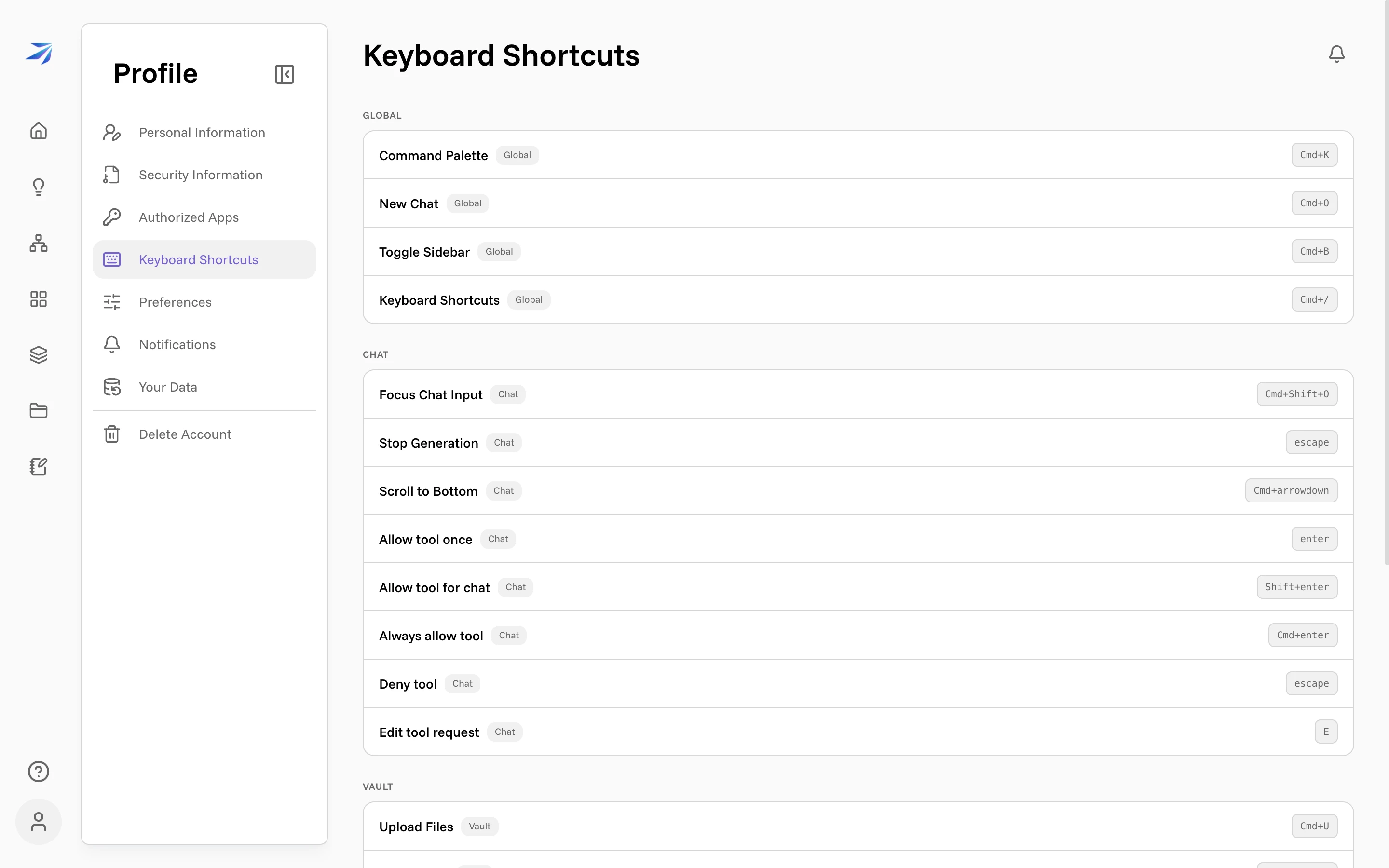
Press Cmd + / (Mac) or Ctrl + / (Windows/Linux) anywhere in Futurity to open the shortcut list, or find it under your avatar → Profile → Keyboard Shortcuts. The same page is also where you rebind them.
The tables below are written Mac-style. On Windows and Linux, read Cmd as Ctrl.
Global
These work everywhere in the app.
| Shortcut | Action |
|---|---|
| Cmd + K | Command Palette |
| Cmd + O | New Chat |
| Cmd + B | Toggle Sidebar |
| Cmd + / | Keyboard Shortcuts |
The command palette is the one to learn first. It searches actions and adapts to where you are — on a chat page it offers chat actions, in the Vault it offers file actions.
Chat
The first three help you drive a conversation; the last five answer tool permission prompts without touching the mouse — see Tool permissions for what allowing a tool means.
| Shortcut | Action |
|---|---|
| Cmd + Shift + O | Focus Chat Input |
| Escape | Stop Generation |
| Cmd + ↓ | Scroll to Bottom |
| Enter | Allow tool once |
| Shift + Enter | Allow tool for chat |
| Cmd + Enter | Always allow tool |
| Escape | Deny tool |
| E | Edit tool request |
Escape appears twice on purpose: while Corint is writing, it stops the generation; while a tool prompt is waiting, it denies the tool.
Vault
| Shortcut | Action |
|---|---|
| Cmd + U | Upload Files |
| Cmd + Shift + N | New Folder |
Workflows
| Shortcut | Action |
|---|---|
| Cmd + Shift + N | New Workflow |
| Cmd + Z | Undo (Workflow Canvas) |
| Cmd + Shift + Z | Redo (Workflow Canvas) |
| Cmd + Y | Redo (Workflow Canvas) |
Cmd + Shift + N means New Folder in the Vault and New Workflow on the Workflows page — shortcuts outside the Global group only fire in their own area, so the two never collide.
Dashboards
| Shortcut | Action |
|---|---|
| Cmd + Shift + D | New Dashboard |
| Cmd + Enter | Save Widget |
Rebinding a shortcut
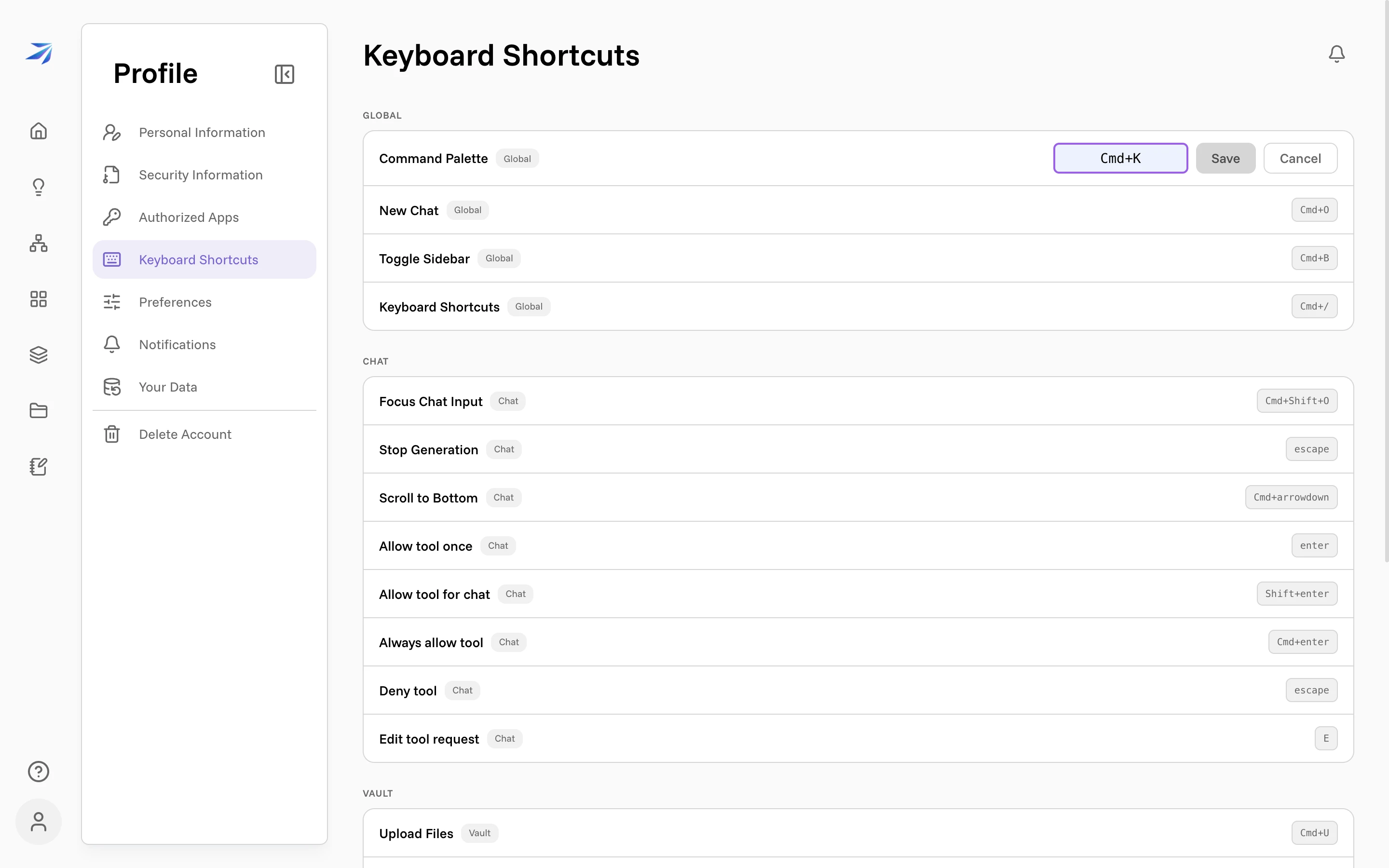
Any shortcut can be changed: click the one you want, press your new key combination, and click Save.
Three things the editor handles for you:
- Conflicts. If your combination is already taken by a shortcut it could clash with, the editor shows which one and won't save until you pick something else.
- The custom marker. A rebound shortcut gets a
customchip in the list, and a reset arrow that returns it to the default. - Sync. Rebindings are saved to your account, so they follow you across browsers and machines.
One habit to know: while you're typing in a text field, most shortcuts hold back so they never swallow your typing. The command palette, Stop Generation, and the Cmd + Shift combinations still work.
Workflow undo and redo are the deliberate exception to that last part. Inside a text field, Cmd + Z, Cmd + Shift +
Z, and Cmd + Y stand down so they undo what you typed rather than the canvas behind it.