Sharing and trash
Giving teammates access to files and folders, and getting things back after you delete them.
Your Vault starts private: nobody sees your files but you. Sharing is how a price list becomes the team's price list — and the trash is what makes deleting something a decision you can walk back for 30 days.
Sharing a file or folder
Right-click any file or folder and choose Share. The dialog shows who has access now — starting with you, the owner — and every way to widen it:
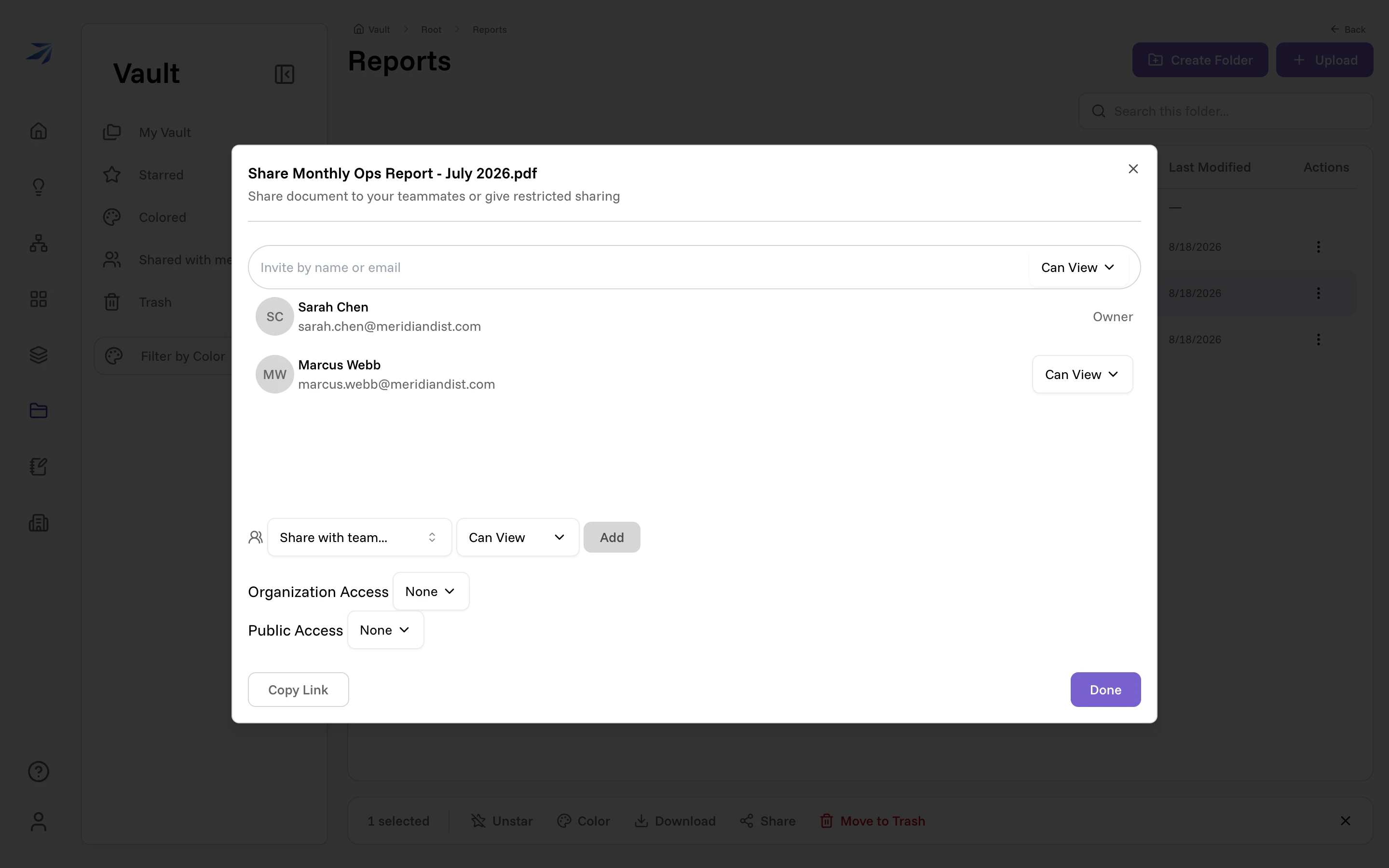
- Invite by name or email — start typing and pick a teammate. Each person gets Can View or Can Edit; switch either to None later to remove them.
- Share with team... — grant a whole team at once, with one permission level for the team.
- Organization Access — everyone in your organization, View or Edit.
- Public Access — anyone with the link, and Can View only: an edit grant on a public link is refused by the server. Use it deliberately; None is the default.
Click Done to apply. Copy Link puts a direct link to the item on your clipboard — who can actually open it is decided by the access you granted above, so a link alone leaks nothing.
Sharing a folder shares everything nested inside it — one grant, not file-by-file invitations.
A file stays with the organization it was created in, even after its owner moves to another one. So if a folder holds a file from a different organization, sharing the folder is refused and the error names the file. Nothing is shared until you move that file out — a folder share is all of it or none of it, never the part that happened to be allowed.
Shared with me
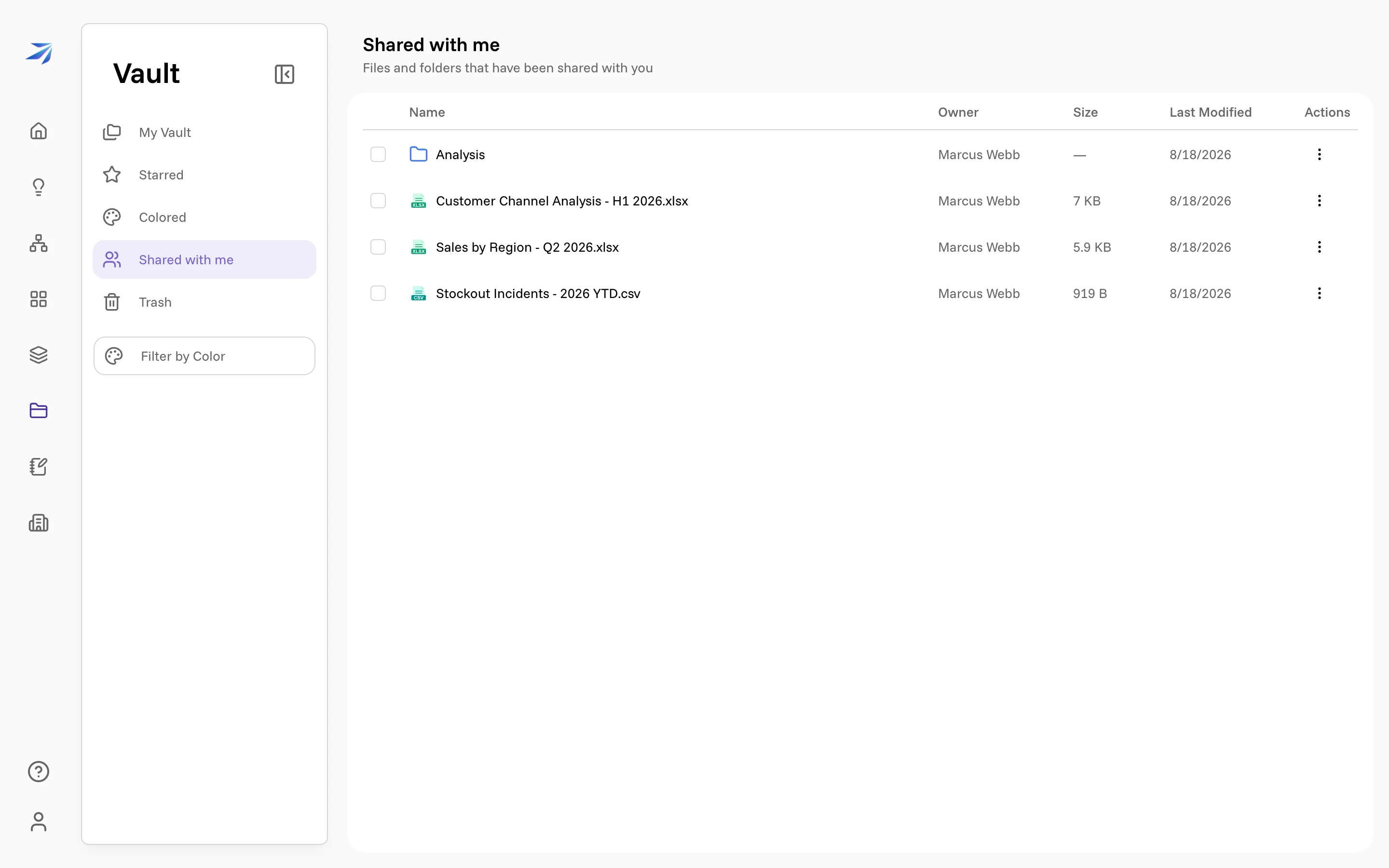
Everything shared to you collects in the sidebar's Shared with me view, with the owner's name on each row. It works like any other folder view — open, preview, download.
Trash
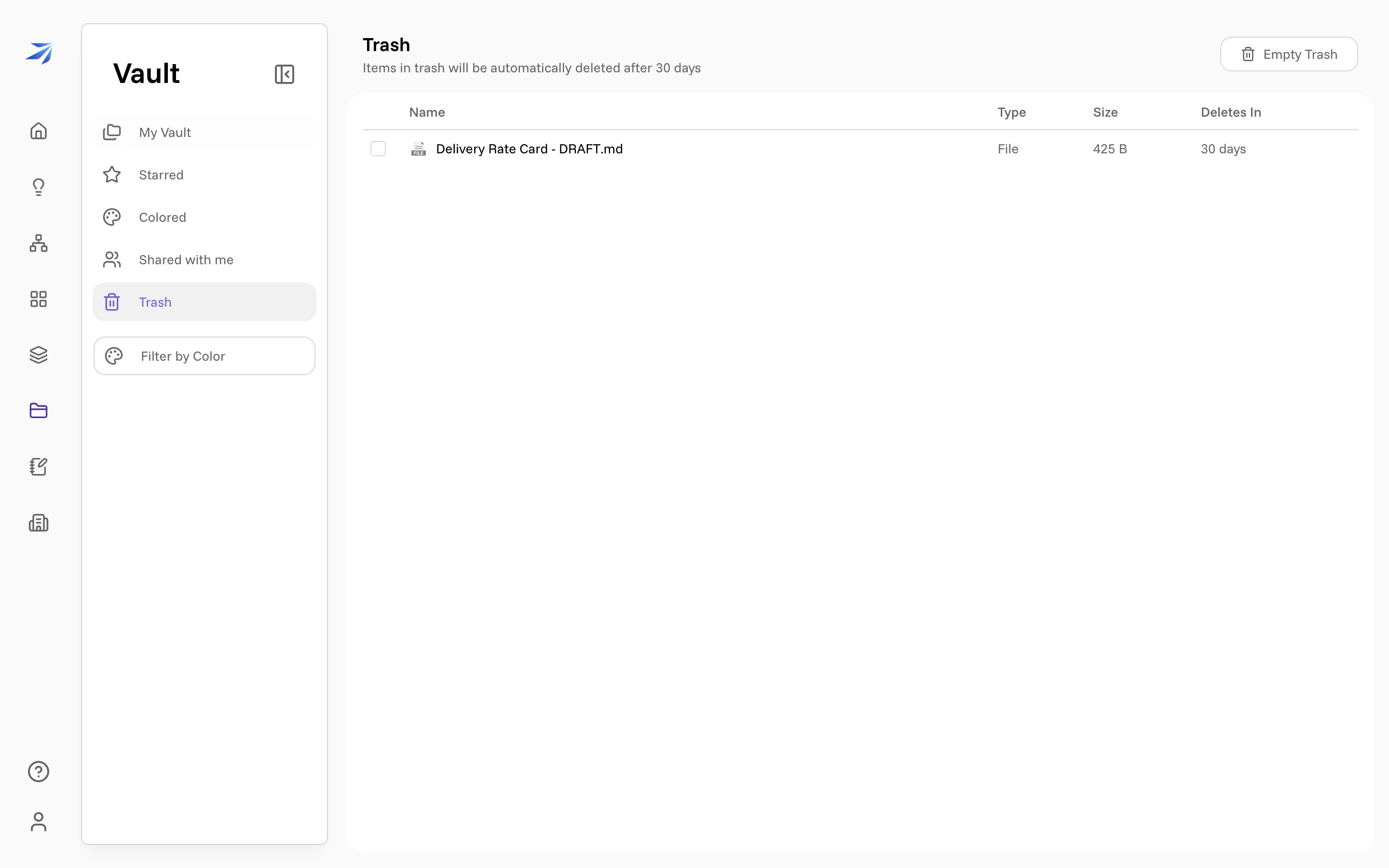
Deleting in the Vault is a two-stage affair. Move to Trash — from the right-click menu or the bulk toolbar — sends items to the Trash view, where they sit for 30 days. The Deletes In column counts down per item.
Right-click a trashed item for the two ways out:
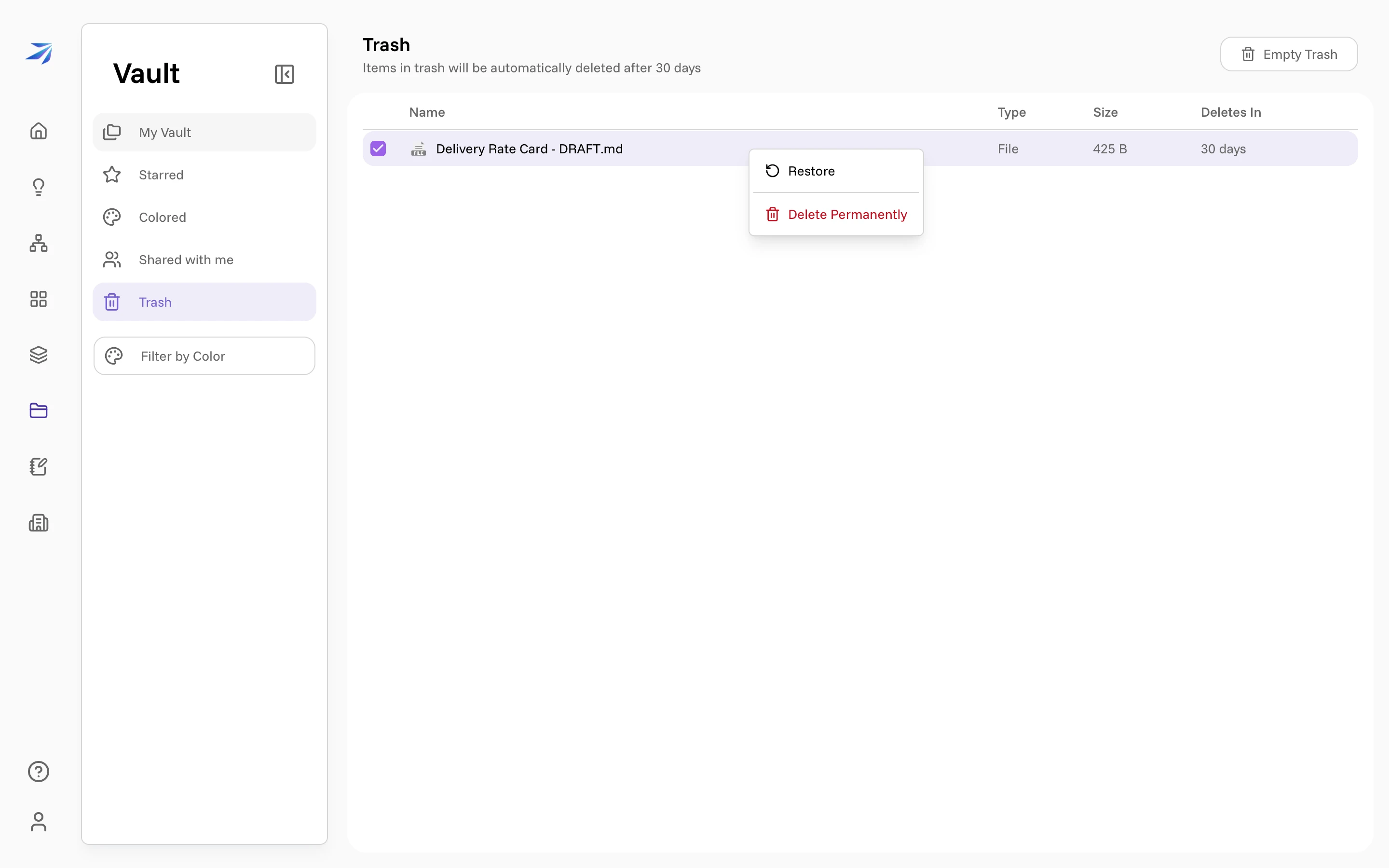
- Restore puts it back where it came from.
- Delete Permanently removes it now. This one asks you to confirm, and means it: there is no undo past this point. Empty Trash does the same for everything at once.
Anything still in the trash after 30 days is removed automatically.