Plugin authentication
The four ways a Futurity plugin can authenticate, and how to pick the one that fits the system you're wrapping.
A plugin sits between Corint and a system that usually wants to know who is asking. Every design decision here comes down to two questions: whose credentials does the call use, and who types them in. Your answer goes in one field of the manifest, and it decides what users see when they connect, what your plugin receives on each request, and who in the organization can turn it on.
There are four answers.
| Auth | Credentials belong to | Who sets it up | Typical system |
|---|---|---|---|
| MCP OAuth | The person | Nobody — it registers itself | A remote MCP server with its own authorization server |
| None | Nobody | Nobody — one click to enable | Public data: exchange rates, weather, open registries |
| Forwarding | The person, or the organization | Each user, or an administrator | OAuth services and company APIs |
| Chained | The plugin | Each user, inside your own flow | Services Futurity can't hold a token for |
| API key | The organization | An administrator, once | APIs with a key and no OAuth |
None
Nothing to sign in to. The plugin talks to a public API, or to no API at all, and every user gets the same answers. Keyless plugins show an Enable button rather than Connect — one click, no credentials, no administrator. It's why most reference-data integrations in the catalog work this way.
There is no keyless auth block to write: a manifest registered from the
Developer Tools tab declares forwarding or chained. Keyless plugins are
published by Futurity instead, so send us the plugin and we'll add it to the
catalog.
Auth forwarding
Futurity holds the token and forwards it to you. Your plugin never runs an OAuth flow, never stores a refresh token, and never sees a password — it reads one header and calls the API. This covers most integrations, and it comes in three grants.
authorization_code — one account per person
Each user connects their own account. They click Connect, land on the provider's consent screen, and come back with a token bound to them. Two people in the same organization see exactly what their own account can see.
auth: {
  type: "forwarding",
  grantType: "authorization_code",
  authorizationEndpoint: "https://api.example.com/oauth/authorize",
  tokenEndpoint: "https://api.example.com/oauth/token",
  requiredScopes: ["files.read"],
}
Use it when the upstream system has per-user permissions that matter: mailboxes, calendars, CRM records with ownership rules, anything where "what can this person see" is the whole point.
client_credentials — one account for the company
One set of credentials for the whole organization. An administrator saves them once, Futurity exchanges them at your token endpoint, caches the token until shortly before it expires, and forwards it on every call.
auth: {
  type: "forwarding",
  grantType: "client_credentials",
  tokenEndpoint: "https://erp.example.com/oauth/token",
}
Use it for your company's own APIs and for service accounts: the shipping service, the data warehouse, the internal ERP endpoint. It's also the simplest grant to build against, which is why Your first integration uses it.
saml2-bearer — enterprise single sign-on
The organization's administrator supplies a certificate and private key instead of a secret; Futurity signs a SAML assertion and exchanges it for a token. This is what large ERP and HR suites expect when they refuse plain OAuth.
auth: {
  type: "forwarding",
  grantType: "urn:ietf:params:oauth:grant-type:saml2-bearer",
  tokenEndpoint: "https://erp.example.com/oauth2/v1/token",
}
Reach for it only when the system you're wrapping demands it — the setup burden falls on whoever configures it, not on you.
The MCP spec's own OAuth
A remote MCP server can carry its own authorization server rather than asking Futurity to hold a credential for it. That is what the Model Context Protocol describes: the server publishes where to authorize, a client registers itself, and each person signs in there.
Nothing is configured for one of these. Register the server with its URL and nothing else:
curl -X POST https://api-v4.futurity.work/api/v3/mcp/services/mcpOauth \
  -H "content-type: application/json" \
  -d '{"name":"Acme","slug":"acme","mcp_url":"https://mcp.acme.example.com/mcp"}'
The first time somebody presses Connect, Futurity reads your server's metadata, registers itself with your authorization server, and sends the person to your consent screen with PKCE. The client belongs to the integration rather than to any one company, so it is registered once and every company's people authorize against it with their own account. Their tokens stay their own.
Register this redirect address with your authorization server:
https://api-v4.futurity.work/api/callback/mcp/specCallbackIf your authorization server has no dynamic registration
Some do not, and then nothing can register itself. An administrator holding
manage:integrations registers a client by hand instead, the same way as for
an organization's own OAuth app. Give
them a client ID and secret for the address above.
Chained auth
Your plugin runs its own authorization flow and keeps the third-party tokens itself. Futurity hands you the user's context (their user id, and any of email, organization id and display name you ask for), starts your flow, and afterwards addresses the session you created.
auth: {
  type: "chained",
  authorizationEndpoint: "https://plugin.example.com/auth/authorize",
  callbackEndpoint: "https://plugin.example.com/auth/callback",
  requiredUserContext: ["user_id", "email"],
}
It costs you a session store and a callback route, so take it only when forwarding genuinely can't work: the upstream token is unusual enough that Futurity can't hold it, one plugin fans out to several services with separate logins, or you need to keep credentials inside your own infrastructure for compliance reasons.
API key
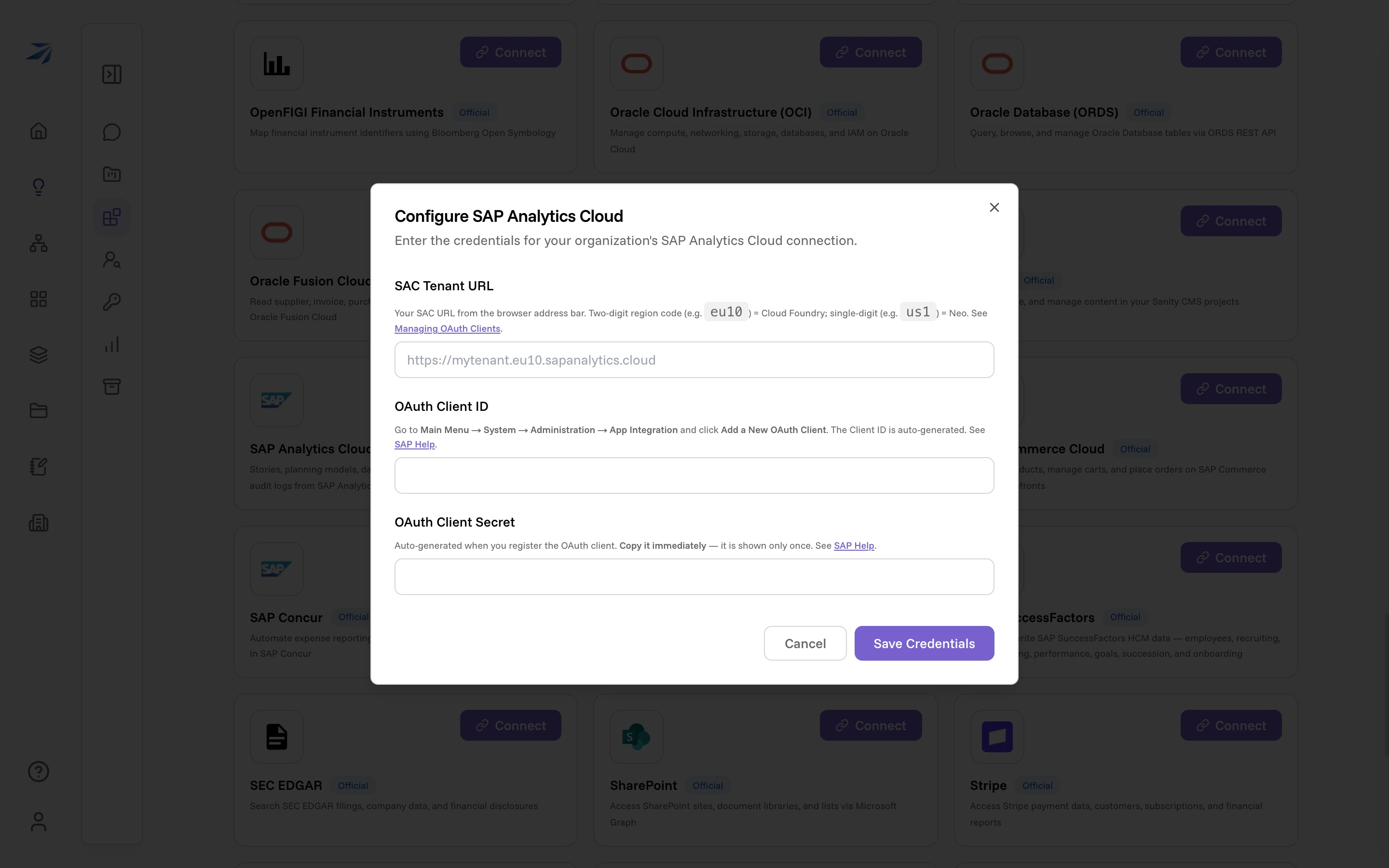
Some APIs never grew an OAuth flow — they issue a key, and the key is the whole story. An administrator pastes it once into the connection form, Futurity stores it encrypted, and forwards it to your plugin on every call in place of a token.
Everything the administrator fills in that isn't part of a token exchange rides along in a separate header, so a plugin can also receive the tenant URL, region, realm or account id it needs to build the request.
Who can connect what
For a plain external MCP server, Developer Tools → Add Organization MCP
supports API keys and OAuth client credentials without a Futurity plugin
manifest. The server receives the key or access token directly in its
Authorization: Bearer header. See Organization
integrations
for registration and credential setup.
The auth type decides where the credentials live, and that in turn decides who can set the integration up:
- Per person — no auth and
authorization_code. Every user connects (or enables) it for themselves, from the Integrations page. An administrator is involved once, and only for a plugin you registered yourself: the marketplace holds no OAuth app for it, so someone withmanage:integrationsregisters the organization's own client first. See Organization integrations. - Per organization —
client_credentials,saml2-bearerand API keys. Someone holdingmanage:integrationsconfigures them once, and every member of the organization then uses that one connection. Members without the permission see the integration with a note to ask an administrator.
That distinction is worth deciding early: it changes who has to be in the room when your plugin goes live, and it isn't something users can override later. See Roles and permissions for who holds that permission, and Organization integrations for what the setup looks like from the administrator's side.
Not the same as workflow API keys
The keys on this page are credentials your plugin uses to reach another
system. The fty_wf_ keys in API keys and
webhooks are the reverse: credentials
another system uses to trigger your workflows.