What is Argos?
The team wiki built into Futurity, and why writing things down here pays off.
Every organization has knowledge that lives nowhere in particular: how receiving works at the warehouse, which discount needs a manager's sign-off, who to call when a supplier goes quiet. Argos is where that knowledge gets written down — a wiki that lives inside Futurity, next to the conversations and workflows that need it.
If Argos is enabled for your organization, it appears as Argos in the left navigation.
Spaces and pages
Argos organizes content in two levels. A space collects everything about one subject — an operations handbook, a sales playbook. Inside a space, pages hold the actual writing, and pages can nest under other pages, so a space grows into a tree rather than a pile.
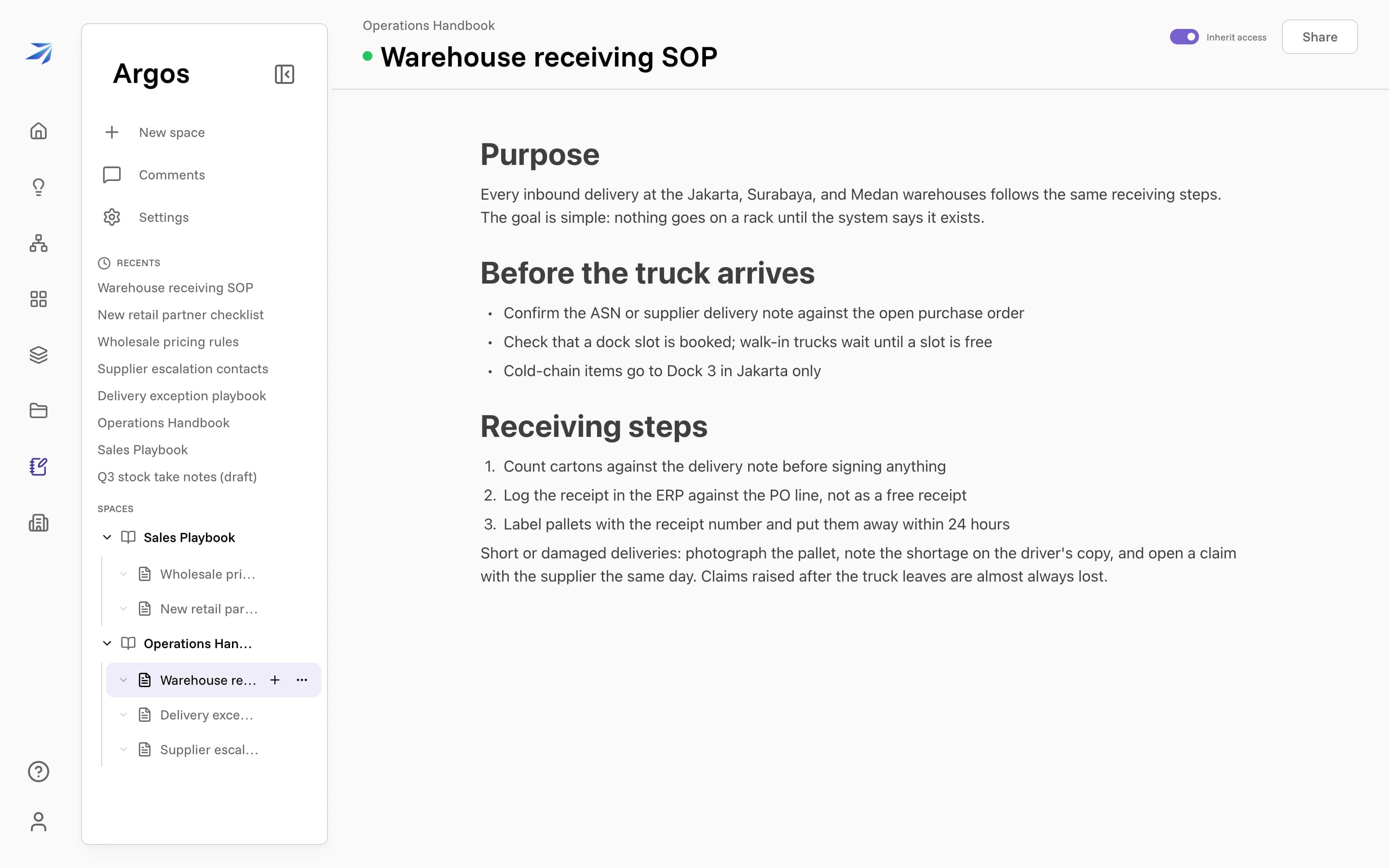
The sidebar shows every space you can see, plus a Recents list of pages you opened last. New space starts a new space; the + on any space or page adds a page beneath it.
Writing a page
Pages are made of blocks. Type normally for paragraphs, or press / on an empty line to pick a block type: headings, bullet and numbered lists, checklists, quotes, code blocks, tables, and images.
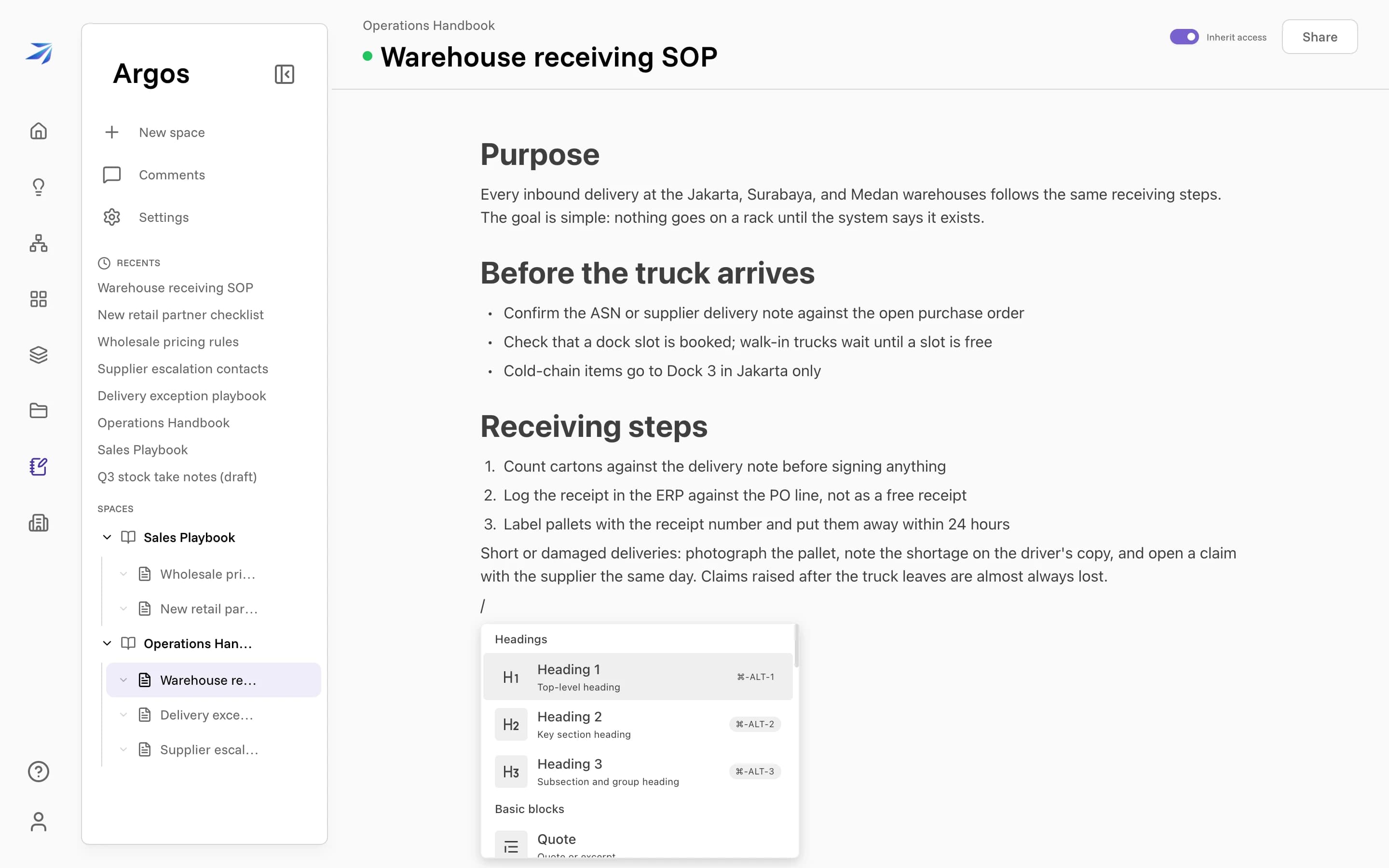
Markdown shortcuts work too — ## followed by a space starts a heading,
- starts a bullet list.
Every block also has a handle on its left edge. Drag it to move the block, or click or right-click it to open that block's menu.
Code
Backticks around a word format it as inline code. Put the cursor back inside a code span and its backticks reappear, so you can see where the formatting starts and ends. Pressing Backspace at the end of a span deletes that closing backtick and drops the formatting, leaving the text and its opening backtick for you to edit as ordinary writing.
Code blocks are syntax highlighted. Hover a block to reach the language menu in its top-left corner, or open the block with three backticks followed by a language name to set it as you type.
Editing together
Pages are collaborative in real time. When a teammate has the same page open, their avatar appears in the page header and you both edit the same live copy — there is no saving, no merging, and no "final_v2" file. Anyone with edit access can select text and start a comment thread on it. Collaborating in Argos covers comments, sharing, and the trash.
Why write it here
Corint can read Argos pages and answer from them. Write the receiving SOP once, and anyone can ask "what do we do with a short delivery?" instead of searching for the document.